
ASIC Efficiency: J/TH Basics
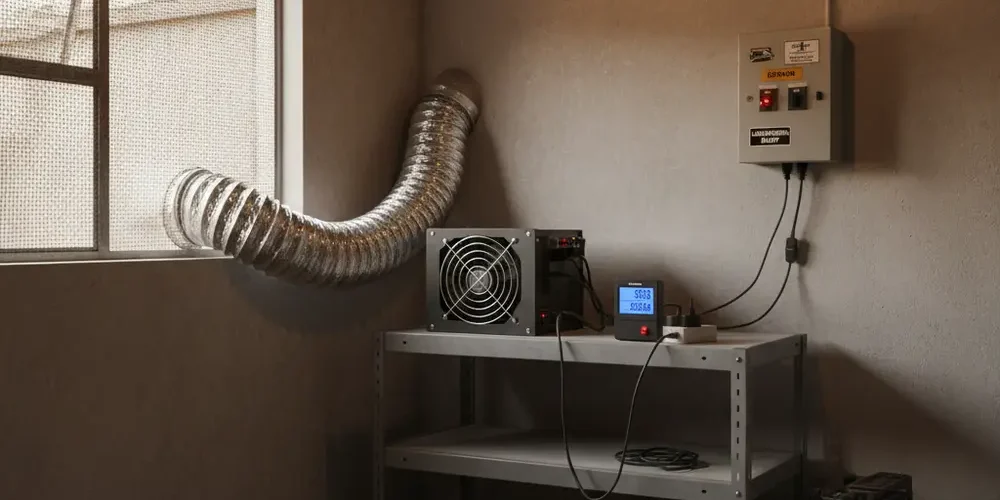
Most home miners make the same mistake, they buy an ASIC for raw TH/s and only discover later that the electricity bill, heat, and noise are the real constraints. J/TH is the number that predicts those constraints better than hashrate.
By the end of this article you will be able to read a spec sheet correctly, estimate watts at the wall from J/TH and TH/s, and sanity check real world measurements. You will also have a South Africa focused checklist for buying, wiring, cooling, and tuning safely.
Note for South Africa:
- Do not assume a single national R/kWh, tariffs vary by municipality, prepaid tiers, and time-of-use.
- Plan for load shedding, voltage dips, and surge protection before you run high continuous loads.
- If you are unsure about circuit limits, plugs, or cabling, use a qualified electrician for any high power installation.
At a glance:
- Use J/TH to estimate running cost, heat output, and whether your circuit can handle the load.
- Convert efficiency to watts with W = (J/TH) × (TH/s), then convert to kWh for your bill.
- Compare miners on watts at the wall, not just PSU nameplate and not just TH/s.
- Check real world conditions, temperature, dust, voltage, and tuning can shift J/TH noticeably.
Key takeaways:
- Lower J/TH usually wins for long term cost, even if TH/s is lower.
- Power at the wall is what you pay for, measure it with a plug-in meter where possible.
- In South Africa, wiring limits and outage behaviour can be a bigger limiter than hashrate.
What J/TH actually measures (and why it is the first number to check)
J/TH means joules per terahash, it tells you how much energy the miner uses to do a fixed amount of hashing work. Lower J/TH means less energy for the same hashing output, which usually means a lower electricity cost for the same TH/s.
For home mining, J/TH is also a proxy for the things you feel immediately, heat, fan noise, and how hard your electrical circuit is being pushed. A miner that is 10 percent more efficient is often 10 percent easier to power and cool for the same hashrate, assuming similar operating conditions.
Think of TH/s as speed, and J/TH as fuel economy. Both matter, but fuel economy determines whether you can afford to keep running and whether your room becomes unlivable.
Joules, watts, and why watts = joules per second
Joule is a unit of energy, and a watt is a unit of power, which is energy per time. A watt is one joule per second, which is why you can move between energy and power by looking at the time period. For a quick unit refresher, see the definitions of the joule and the watt.
J/TH is energy per work unit, and TH/s is work per second. Multiply them and the terahash units cancel out, leaving joules per second, which is watts.
The simple maths to compare miners: J/TH, TH/s, and watts at the wall
If you only remember one equation, remember this, watts at the wall is approximately efficiency times hashrate. This lets you compare two miners in seconds, even if the spec sheet is trying to impress you with TH/s alone.
Once you have watts, you can estimate kWh and a monthly cost using your own tariff. You do not need exact profitability calculators to know whether a miner is likely to be a problem in your space.
Quick conversion: W = (J/TH) × (TH/s) and where this can go wrong
The clean conversion is W = (J/TH) × (TH/s). Example, if a miner is 30 J/TH and runs at 100 TH/s, the estimate is 3000 W.
Where it goes wrong is not the maths, it is the inputs. Published J/TH can be measured at a specific inlet air temperature, voltage, and firmware mode, and your reality can differ. Also, the number you pay for is power at the wall, so losses in the PSU and cabling are part of your bill.
To ground your expectations, it helps to read a manufacturer spec that clearly calls out power on wall and measurement conditions. Bitmain support documents often show power on wall, efficiency on wall, and typical variance, which is the correct framing for comparisons. See an example of power efficiency on wall (J/TH) and typical variance.
| What you compare | What it tells you | Good for | Common trap |
|---|---|---|---|
| TH/s | Hashing speed | Pool share of rewards | Ignores power and heat |
| J/TH | Energy per work | Running cost planning | Quoted at ideal conditions |
| Watts at wall | What you pay for | Wiring, breakers, cooling | Confused with PSU rating |
| kWh per month | Energy over time | Budgeting in R | Forgetting fixed charges |
Why raw hashrate can be a trap (cost per TH, heat, and noise)
A higher hashrate miner can be the worse buy if it gets that hashrate by consuming much more power per TH. For home miners, the limits you hit first are usually a circuit that trips, a room that overheats, or noise that becomes unacceptable.
In practice, many buyers also underestimate the total cost of ownership. You might need ducting, better ventilation, filtration, and surge protection, and those costs are driven by watts, not TH/s.
- Electricity bill: watts drive monthly kWh, kWh drives cost.
- Heat: nearly all the electrical input becomes heat in your space.
- Noise: fan speeds rise as cooling demand rises.
- Infrastructure: plugs, cabling, breakers, and airflow scale with power.
Efficiency and heat output, why your cooling setup changes your real J/TH
If two miners produce the same TH/s, the one with lower J/TH will usually dump less heat into the room. That makes it easier to keep inlet air cool, which can also help the miner stay closer to its best efficiency point.
Temperature is not a small detail, it can shift watts at the wall and worsen J/TH even if hashrate stays similar. Braiins has published measured data showing that higher inlet temperatures can increase power draw and reduce efficiency on common SHA-256 hardware. Use this as a reality check for why your garage in summer behaves differently than a lab bench, see why your J/TH gets worse in a hot room.
Cooling is not only about comfort, it is about keeping the miner inside a stable operating envelope. Better airflow and lower inlet temperatures can reduce fan noise, reduce throttling, and improve stability during hot spells.
Spec sheet vs reality: temperature, altitude, dust, and PSU losses
Spec sheets are useful, but they are not guarantees. Manufacturers often publish typical values with a stated testing setup, and they may note a fluctuation range for hashrate and power.
In the real world, your miner faces warm inlet air, dirty filters, restrictive ducting, voltage sag, and sometimes aggressive tuning. Each of those can push your watts up, your hashrate down, or both, which worsens J/TH.
- Temperature: hotter air makes cooling harder, fans spin faster, and efficiency can drop.
- Altitude and air density: thinner air reduces cooling effectiveness for the same fan speed.
- Dust: clogged heatsinks and filters raise temperatures and can cause throttling.
- PSU losses: you pay for losses as heat, and they vary with load and voltage.
- Voltage quality: dips and spikes can cause instability and reboots.
If you want a clear primer on what to look for on a spec sheet, Braiins has a practical overview of the key ASIC metrics and why efficiency matters most for operating cost. See efficiency measured in joules per terahash (J/TH) and the reminders about real world variance.
Tuning for efficiency: undervolting, autotuning firmware, and safe targets
Many miners can be tuned, sometimes you can trade a bit of hashrate for a meaningful reduction in watts, improving J/TH. This is often the right move for home setups, because it reduces heat and noise and makes power planning easier.
Be careful with promises, efficiency gains depend on the model, silicon quality, environment, and the tuning method. Treat any tuning claim as something you must verify with a wall meter and pool-side hashrate data over time, not a screenshot.
How to think about undervolting without guessing
Undervolting is about lowering power draw while keeping the miner stable. The goal is not maximum TH/s, it is stable TH/s at lower watts, which improves J/TH and reduces heat.
- Change one thing at a time, and log watts at the wall, temps, and pool hashrate.
- Let it run long enough to catch heat soak, not just a 5 minute test.
- Watch for hardware errors, frequent restarts, and hashboard dropouts.
- Prefer conservative targets if your space is hot or your power is unstable.
Autotuning firmware and what proof looks like
Autotuning firmware aims to find stable settings per chip or per board, instead of one static profile. In theory this can improve efficiency because it avoids overdriving weak chips and can keep stronger chips productive at lower waste.
If you are evaluating firmware claims, look for measured watts and hashrate under defined conditions, ideally with a credible test method. Vendor writeups that reference third-party testing are stronger than anonymous forum reports, but you should still validate on your own setup. For a discussion of efficiency testing and measurement framing, see independent testing of mining efficiency.
Also consider the operational risk, firmware changes can affect warranty terms, supportability, and recovery steps if something goes wrong. Make sure you can revert, and do not tune aggressively on unstable power.
South Africa lens: tariffs, time-of-use, load shedding, and home wiring limits
In South Africa, the same miner can be viable in one home and impossible in another, even with the same hardware. The difference is often electricity pricing structure, fixed charges, and whether you can run the load safely and quietly.
Tariffs also change over time and can have different effective dates for Eskom direct customers versus municipal customers. If you are basing decisions on old numbers, you can be wrong by a lot.
- Tariff structure: prepaid tiering and fixed charges can change your effective R/kWh.
- Time-of-use: some customers have peak and off-peak differences that matter for scheduling.
- Load shedding: frequent stops and starts can reduce uptime and add stress to equipment.
- Power quality: surges and brownouts are practical risks, not theory.
For official context on tariff changes and effective dates, refer to Eskom communications and use their tools where relevant. Two starting points are Eskom FY2026 tariffs effective date and why your effective R/kWh can vary.
Mini worksheet: estimate your monthly electricity cost
Use this as a quick planning tool before you buy. You only need three numbers, estimated watts at the wall, hours per day you expect to run, and your effective R/kWh from your bill or prepaid slip.
- Estimate watts: W ≈ (J/TH) × (TH/s), then add a buffer for real conditions.
- Convert to daily kWh: daily kWh = (W ÷ 1000) × hours.
- Convert to monthly kWh: monthly kWh = daily kWh × 30.
- Monthly cost: monthly cost = monthly kWh × your R/kWh.
If your tariff includes fixed charges, add them separately, do not hide them inside a guessed R/kWh.
Practical buying checklist for SA home miners (what to ask a seller before you pay)
This checklist is written for the buyer who wants fewer surprises. It is also useful if you are comparing options in our shop, because it forces you to think beyond headline TH/s.
- Confirm efficiency and power at the wall: ask for a recent photo of a wall meter reading during stable mining, plus the pool-side hashrate view.
- Ask for the exact input voltage range: confirm whether it expects 110V, 220V to 240V, or a specific range.
- Check plug and cable type: confirm whether it uses IEC C13 or C19, and do not rely on cheap adapters.
- Breaker planning: confirm your circuit rating, and plan for continuous load rather than occasional peaks.
- Noise reality: ask where it was run, a garage, a spare room, a flat, and whether the seller had complaints.
- Heat exhaust plan: decide where hot air goes, and whether you can vent it without recirculating.
- Ambient temperature: measure your typical room temperature in summer afternoons, not only in winter.
- Dust and filtration: check whether the unit has visible dust buildup, and plan filters you can maintain.
- Firmware and tuning state: ask if it is stock or tuned, and whether it can be reset to defaults easily.
- Load shedding behaviour: ask how the unit copes with frequent power loss, and plan orderly shutdown if using an inverter.
If you want help sizing airflow, ducting, or choosing a more realistic power target for your space, use our contact page and share your circuit rating, room size, and expected run hours.
Common mistakes
- Choosing a miner by TH/s only, then discovering the watts do not fit your circuit.
- Using PSU nameplate watts instead of measuring power at the wall.
- Ignoring inlet temperature, then wondering why summer performance is worse.
- Running without a plan for hot air exhaust, causing recirculation and throttling.
- Assuming a single R/kWh for South Africa, and skipping fixed charges or prepaid tiering.
If you’re new
- Start with the watts, not the hashrate, ask yourself where the heat will go.
- Buy or borrow a reliable wall power meter before you scale beyond one unit.
- Plan for a conservative, stable profile first, then tune later once your airflow is proven.
- Track pool hashrate averages over hours, not minute by minute spikes.
- Keep dust management simple, a removable filter you can clean beats a clogged heatsink.
If you already run rigs
- Use J/TH as your tuning scoreboard, not only TH/s, and log changes.
- Separate electrical planning from mining economics, circuit safety is non-negotiable.
- Measure before and after any ducting change, restrictions can raise fan speeds and watts.
- Keep a rollback plan for firmware, plus spare fans or basic parts where possible.
- Consider a lower power mode during hot periods to protect uptime and reduce noise.
Where to shop and how to compare quickly
Once you understand J/TH, shopping becomes simpler. You can shortlist miners by efficiency and power at the wall first, then choose the hashrate that fits your noise, heat, and budget limits.
If you are browsing categories, these internal pages can help you compare within a coin type, rather than mixing different algorithms. Start with Bitcoin ASIC miners, or explore other options via all mining hardware and parts.
If you are not sure whether your home wiring and ventilation are ready for a specific wattage target, review our professional services and then send your constraints via contact us.
Frequently asked questions
Is lower J/TH always better?
Lower J/TH is usually better for running cost and heat, but only if the miner is stable and the efficiency figure is real at your operating conditions. Always validate with watts at the wall and sustained pool hashrate.
Why does my miner use more watts than the spec sheet?
Specs are often typical values measured at a defined inlet temperature, voltage, and mode. Hotter air, dirty heatsinks, restrictive ducting, different firmware, and PSU losses can all increase power at the wall.
What is the difference between power on wall and PSU rating?
Power on wall is what your meter reads and what you pay for. PSU rating is the maximum output capability of the power supply, and it does not include conversion losses, so it is not the number to budget your electricity cost around.
How do I estimate my monthly kWh from J/TH?
Estimate watts with W ≈ (J/TH) × (TH/s), then monthly kWh ≈ (W ÷ 1000) × hours per day × 30. Use your own effective R/kWh from your bill or prepaid slip, and add fixed charges separately.
Does tuning firmware really improve efficiency?
It can, but it depends on the model and conditions. Treat it as an engineering exercise, measure watts and hashrate over time, and do not rely on generic claims, look for defined test methods and replicate them on your setup.
Short summary
- J/TH is the most useful single number for electricity, heat, and home feasibility.
- Convert to watts with W = (J/TH) × (TH/s), then plan kWh and cost.
- Real world conditions, especially temperature and PSU losses, can shift your results.
- In South Africa, tariff structure and load shedding make planning and protection essential.
This is educational content, not financial advice.

