
Mining Setup in a Garage (2026): Wi-Fi pitfalls and Ethernet fixes
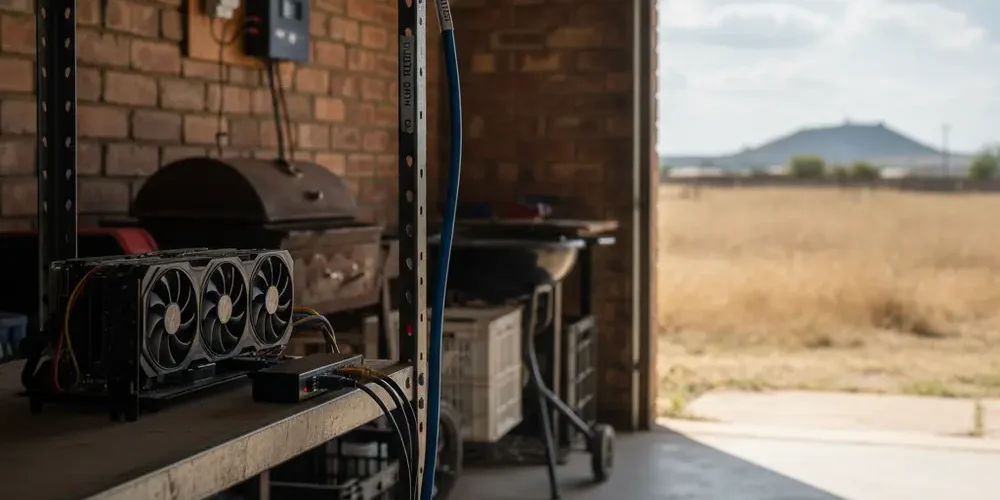
Garage mining setups often fail because Wi-Fi is unstable, not because the miner is broken. That instability causes pool disconnects, stale shares, and monitoring gaps that look like random miner faults.
By the end of this guide you will be able to tell whether your issue is signal strength, noise, congestion, or power related. You will also have a clear Ethernet-first path, plus fallback options when you cannot run a cable, with pass or fail checks you can measure.
Note for South Africa:
- Load shedding, inverter changeovers, and generator noise can reboot or destabilise ONTs, routers, and access points.
- Lightning and surge risk is real in many areas, treat any cable to a garage or outbuilding as a surge pathway and plan protection with an installer where needed.
- Many garages have thick walls and metal doors, Wi-Fi penetration can be poor even when the router is only a room or two away.
At a glance:
- If you can run Ethernet safely, do it, then add a wired access point in the garage if you still need Wi-Fi.
- Use measurable targets at the miner location, RSSI around -65 to -67 dBm and SNR around 25 dB are conservative stability benchmarks.
- If you cannot cable, choose the next best link in this order, point-to-point wireless bridge, single hop mesh with strong link, then powerline only if it tests clean.
- Test for packet loss, jitter, and dropouts during load shedding changeovers, not only when the house is quiet.
Key takeaways:
- Strong signal alone is not enough, noise and congestion cause retries and dropouts.
- Ethernet removes most garage-specific Wi-Fi problems and makes troubleshooting simpler.
- Short, repeatable tests, ping, packet loss, RSSI, and SNR, beat guesswork.
Why garage mining setups break Wi-Fi more often
A garage is usually a tougher radio environment than a living room. It combines blocking materials, more electrical noise, and device placement that is convenient for cables and airflow, not for RF.
Metal doors, brick, reinforced concrete, and why higher bands struggle through walls
Garages often include metal doors, brick, and reinforced concrete, all of which reduce signal and increase reflections. Metal is particularly harsh because it can reflect and block RF, turning your garage into a patchy dead zone.
Higher frequency bands, like 5 GHz and 6 GHz, generally struggle more through dense materials than 2.4 GHz. That is why your phone may show a fast 5 GHz link near the house, but the miner in the garage drops to weak signal or disconnects.
If you want a quick reference for how different materials affect Wi-Fi, this overview of Wi-Fi attenuation through walls and metal is a helpful starting point.
EMI and noise sources in garages, power tools, inverters, chargers, and switching PSUs
Mining gear, chargers, and LED lighting often use switching power supplies that can raise noise levels. Garages also tend to have inverters, battery chargers, welders, or power tools that you do not have in a lounge.
Noise matters because Wi-Fi quality depends on both signal and noise, not signal alone. When noise rises, your SNR drops, retries increase, and the miner sees micro-outages that look like pool issues.
Symptoms that point to Wi-Fi, not the miner
Before you replace hardware, look for patterns that line up with RF problems. Wi-Fi issues are often time-based, such as worse at night when neighbours are home, or worse during inverter switchovers.
- Miner reports frequent pool reconnects, while the rest of the network seems fine.
- Hashrate looks normal, but stale shares climb during certain hours.
- Web UI feels slow to load even though the miner eventually responds.
- Problems improve when the garage door is open, then return when closed.
- Issues disappear when you temporarily move the miner closer to the router.
Dropouts vs low throughput vs high latency and jitter, what each does to pool connections
Dropouts are the obvious ones, the miner loses network, then reconnects to the pool. Low throughput is less common for mining, stratum traffic is light, but it can affect firmware updates and remote monitoring.
Latency and jitter are the sneaky problems. Your miner can stay connected, but delayed or inconsistent packet timing can lead to missed work updates and more stale shares.
For a clear explanation of jitter and why speed tests miss quality problems, see Cloudflare on why speed tests miss latency and jitter problems.
Quick diagnostics you can do in 30 minutes
You do not need specialist gear to get a good first answer. The goal is to decide whether Wi-Fi is good enough, or whether you should stop tuning and go wired.
Measure RSSI and SNR at the miner location, what targets to aim for
Use your phone or laptop at the exact miner location, not at the garage door. Check both RSSI and SNR, if your tool shows only signal, look for a tool or app that shows noise too.
As conservative stability benchmarks, a minimum RSSI around -65 to -67 dBm and SNR around 25 dB are commonly used in voice-grade Wi-Fi design guidance. Mining is not voice, but the tolerance for dropouts is also low, so these thresholds are a practical pass or fail line.
- Pass, RSSI at or better than -67 dBm, SNR around 25 dB or higher.
- Borderline, RSSI worse than -70 dBm or SNR under about 20 dB.
- Fail, RSSI worse than -75 dBm, or SNR consistently low and noisy.
For sources behind these rule-of-thumb targets, see Cisco VoWLAN RSSI and SNR guidance and this table-style summary of recommended Wi-Fi environment metrics.
Check channel congestion, channel width, and 2.4 GHz channel choices
In a typical neighbourhood, 2.4 GHz is crowded, but it penetrates walls better. If your garage is far or heavily blocked, 2.4 GHz with a clean channel can still outperform weak 5 GHz.
Keep it simple: on 2.4 GHz, stick to channels 1, 6, or 11, and avoid wide channel widths if you are in a congested area. If your router supports separate SSIDs per band, it can help to lock the miner or a garage AP to the band that is actually stable.
Early choice comparison table
Use this table to decide where to spend effort first. If you are mining in a garage, the most reliable improvements usually come from changing the link type, not endless Wi-Fi tweaks.
| Option | Best when | Watch-outs |
|---|---|---|
| Direct Ethernet | You can route a cable safely. | Plan protection for lightning and surges. |
| Wired AP in garage | You want strong Wi-Fi inside the garage. | Needs Ethernet backhaul for full benefit. |
| Point-to-point bridge | Outbuilding or long distance. | Needs clear path and good mounting. |
| Single hop mesh | Same building, moderate distance. | Each hop reduces performance and adds jitter. |
| Powerline | Same DB and clean wiring path. | May fail across phases, DBs, or inverter circuits. |
Ethernet-first fixes (most reliable)
If you are serious about stability, start with Ethernet. It removes the garage RF problem entirely and gives you a clean baseline to troubleshoot anything else.
Direct cable run, routing, safety, surge protection, and realistic cable length limits
For standard copper Ethernet, the widely used guideline is a maximum channel length of 100 metres for twisted pair cabling. That is usually plenty for a house to garage run, but it assumes correct cable type and installation.
- Route the cable away from mains power where practical, and do not crush or kink it.
- If you cross a driveway or go outdoors, use appropriate conduit and weather rated cable, and consider professional installation.
- For outbuildings or long outdoor runs, ask an installer about earthing and surge protection for Ethernet, especially in thunderstorm areas.
- Terminate properly, a bad crimp can look like random disconnects under load.
If you need to source basic networking bits, like a small switch, patch leads, or an access point for a wired backhaul, start with what is available in the Sell Your PC shop so you can keep the rest of your setup consistent.
Add a PoE access point in the garage with wired backhaul, placement tips
A strong pattern for garages is, Ethernet from the main router to the garage, then a small PoE switch or PoE injector, then a ceiling or wall mounted access point. This gives you stable wired connectivity for the miner and solid Wi-Fi for your phone in the garage.
- Place the AP away from the miner PSUs and away from large metal surfaces.
- Mount higher rather than behind shelves, metal tool chests, or the roller door.
- Use 5 GHz inside the garage if coverage is strong, but keep 2.4 GHz available for penetration and IoT devices.
- Give the garage Wi-Fi its own SSID if you want to keep the miner from roaming.
If you want help planning placement, cable routing, or how to keep airflow and dust management sensible around networking gear, use the contact page and describe your layout and distances.
When you cannot run cable: better-than-nothing options
Sometimes you cannot drill, you rent, or the garage is detached. In that case, you are choosing the least bad option, and you should set expectations early.
Wireless mesh or wireless uplink, how to minimise hops and what to expect
Mesh can work for mining if you keep the link simple and strong. The two big rules are minimise hops and maximise signal quality between nodes.
- Prefer wired backhaul if you can run even a short cable to the first mesh node.
- Keep it to one wireless hop if possible, avoid daisy chaining.
- Place the upstream node near the wall that faces the garage, not next to the TV.
- Place the garage node where it still has strong signal to the upstream node, not deep behind the roller door.
For vendor best practices on hop count and link quality targets, see wireless uplink hop count guidance.
Powerline or MoCA considerations, and when they fail in South African homes
Powerline adapters can be a quick test, but they are unpredictable. They can fail across different DB boards, different phases, or noisy circuits, and inverters can add another layer of variability.
If you try powerline, test it like a miner would stress it. Check for stable ping, low packet loss, and consistent performance during typical household loads, and during load shedding switchovers if you run backup power.
- Pass looks like stable ping to your router and no dropouts for hours.
- Fail looks like random disconnects, big latency spikes, or performance that changes when someone plugs in a charger.
- If it fails, stop investing time and move to a bridge or a proper cable plan.
Hardening for SA conditions
In South Africa, many home miners are not only fighting RF. You are also dealing with power events, surges, and reboots that interrupt networking even when the Wi-Fi is perfect.
Load-shedding, generator, UPS and inverter interactions with networking gear
A miner can only stay connected if the ONT, router, and any garage AP stay up through changeovers. If your router reboots during load shedding, the miner disconnects even on Ethernet.
- Put the ONT and router on a UPS that can handle the full runtime you need, not only 5 minutes.
- Keep networking gear on the same backup circuit where practical, mixed circuits can cause odd restart timing.
- After a changeover, confirm the router has WAN and DNS, not just Wi-Fi lights.
- If you use LTE failover, test it, do not assume it works during a blackout.
If you are already maintaining inverter equipment for your home, it can be worth reviewing stability and repair options via professional inverter repairs, because flaky changeovers often show up as network issues first.
Lightning, surge protection, grounding, and outdoor cable runs
Any copper cable between buildings can carry surge energy, including Ethernet. If your garage is detached or you run cable outdoors, treat surge protection and grounding as part of the design, not an afterthought.
- Avoid running Ethernet alongside mains for long distances.
- Use proper conduit outdoors and keep water ingress suggested by your route in mind.
- Consider discussing surge protection options with a qualified installer, especially in high lightning regions.
- If you cannot manage the risk with copper, a wireless bridge can reduce the surge pathway between buildings.
Decision tree: pick the best connection for a garage miner
Use this as a one-page troubleshooting flow. Start at the top, do the quick measurements, then commit to the simplest fix that meets stability targets.
- Can you run Ethernet safely between the router and the garage?
- If yes, run Ethernet, then connect the miner by cable.
- If you still need Wi-Fi in the garage, add a wired backhaul access point, ideally PoE.
- If you cannot run Ethernet, can you place two radios with a clear path for a point-to-point link?
- If yes, use a point-to-point wireless bridge and terminate to a switch in the garage.
- Test for stable ping and zero dropouts, then connect the miner by cable to the garage side.
- If no clear path, can you do a single hop mesh with strong link quality?
- Keep it to one hop, place nodes to maximise signal between them.
- Use RSSI and SNR checks at the garage node as your go or no-go.
- If none of the above, does powerline pass a stress test in your home?
- Test during peak usage and during backup power switching.
- If it fails, stop and plan a proper cable or bridge solution.
- Pass or fail checks at the miner location
- Wi-Fi RSSI around -65 to -67 dBm or better, SNR around 25 dB or better.
- Packet loss should be near zero on a local ping test.
- Latency should be consistent, low jitter is more important than raw speed.
Common mistakes
- Chasing a faster Wi-Fi band, then placing the miner behind a metal door where 5 GHz cannot hold.
- Using a cheap extender with wireless backhaul, which often adds latency and dropouts.
- Mounting the router on a shelf behind a TV and expecting it to cover a garage through multiple walls.
- Testing only with a speed test, then ignoring packet loss and jitter.
- Putting the router on a small UPS, but leaving the fibre ONT on mains power.
If you’re new
- Start by making the network stable before you tune overclocks or power limits.
- Run one miner on a known-good Ethernet link first, then expand.
- Label cables and power plugs, it saves time when troubleshooting after a blackout.
- Keep firmware updates for a time when you can watch the rig, not during load shedding windows.
If you already run rigs
- Log disconnect times and compare them to load shedding changeovers or inverter events.
- Use a wired switch in the garage, then run short patch leads to each miner.
- Consider a dedicated wired AP for garage coverage instead of relying on the house router.
- Segment mining gear on a separate SSID or VLAN if your router supports it, it simplifies troubleshooting.
Final decision guide for home miners
Pick the simplest solution that hits your stability targets, then stop tinkering. For most garages that means Ethernet, or a wireless bridge if you cannot cable.
- If Wi-Fi metrics fail at the miner location, do not try to mine through it, change the link type.
- If Wi-Fi metrics pass but disconnects continue, look at power events and router stability.
- If you are buying new network gear, prioritise wired backhaul and PoE capability over headline Wi-Fi speeds.
If you are shopping for mining hardware and want to plan networking at the same time, you can browse ASIC categories like Bitcoin ASIC miners and make sure your garage link is stable before scaling.
Frequently asked questions
Is Wi-Fi good enough for a miner in a garage?
Sometimes, but only if the signal and noise metrics are strong at the miner location and you have near-zero packet loss. If you see frequent reconnects, Ethernet is the most reliable fix.
Should I use 2.4 GHz or 5 GHz for a garage?
Use the band that stays stable at the miner, not the one with the highest speed near the router. 2.4 GHz often penetrates better, while 5 GHz can be excellent inside the garage if you add a wired backhaul access point.
How do I know if mesh is causing the problem?
If the miner is behind multiple wireless hops, or the garage node has weak signal to the main node, you can get jitter and dropouts even when the miner shows connected. Try moving nodes to improve the inter-node link, or switch to a bridge or Ethernet.
Will powerline adapters work with an inverter and load shedding?
They might, but you must test because performance depends on wiring, DB layout, and electrical noise. If you see latency spikes or random disconnects during changeovers, treat powerline as a fail and move on.
What is the simplest upgrade that usually fixes garage mining Wi-Fi problems?
A single Ethernet run to the garage, then a small switch and a wired access point if you need Wi-Fi locally. It removes most RF and congestion issues in one step.
Summary
- Measure RSSI and SNR at the miner, do not guess from a phone near the door.
- Use Ethernet as the default, add a wired backhaul garage AP if you need Wi-Fi.
- If you cannot cable, prefer a point-to-point bridge, then a single hop mesh, then powerline only if it tests clean.
- In South Africa, test during load shedding changeovers and plan surge risk for any outdoor run.
This is educational content, not financial advice.

