
Sell Your Laptop or PC Safely
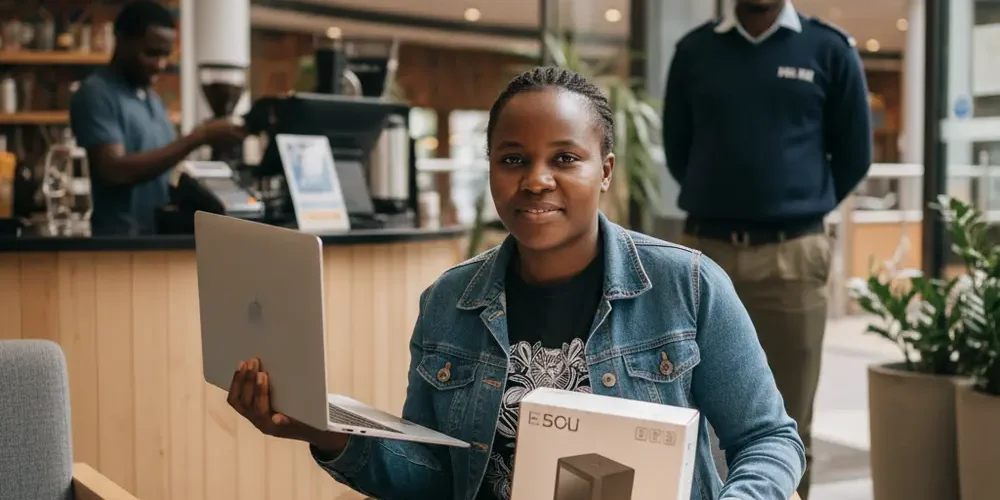
Selling a laptop or PC second-hand can be an easy win, until your personal data leaks or the buyer turns out to be a scammer. In South Africa, you also have to think about personal safety and payment tricks, not just the price.
By the end of this guide, you will know how to prepare your device, list it without oversharing, confirm payment safely, and complete a clean handover. It is written for everyday sellers, with optional advanced steps if you are cautious about data recovery. If you want a simpler option, you can also compare your private sale to selling directly through Sell Your PC item buy-back.
Note for South Africa:
- Do not rely on screenshots or SMS messages as proof of payment, wait for funds to reflect in your account.
- Prefer busy public meetups in daylight, and plan around load shedding so you are not stuck in a dark parking area.
- Minimise personal info shared in listings and chats, and only collect what you truly need for a basic receipt.
At a glance:
- Decide your risk level, private sale vs a managed sale channel, then pick a payment method you can verify.
- Back up, sign out, remove account links, then reset and leave the device at the first setup screen.
- List with proof of specs, but hide serial numbers and personal details.
- Meet in a public place, test quickly, confirm funds in-app or in your bank, then hand over with a simple receipt.
Key takeaways:
- Data wiping is not just a factory reset, it is also signing out and removing the device from your accounts.
- Payment confirmation beats proof of payment, do not release the device until you can see cleared funds.
- Safety is a process, keep chats on-platform, meet publicly, and walk away fast if anything feels off.
The real risks when selling a laptop or PC in South Africa (scams and personal safety)
There are two main risk buckets when you sell a computer, losing money and losing data. A third, which people often underweight, is physical safety during meetups. Your goal is to reduce all three, without making the sale impossible.
Common scams include fake payments, overpayment stories, courier collection setups, and pressure tactics to move the conversation off-platform. On the data side, the risk is not only your files, it is saved passwords, synced cloud accounts, and browser sessions. You also need to think about what you publish in the listing, because once it is online you cannot control where it spreads.
If you are new
- Choose one platform, keep chat there, and do not move to WhatsApp until you are comfortable with the buyer.
- Meet in a busy public place, and bring a friend.
- Only accept payment you can personally verify, then hand over.
- Do a standard reset, and leave the laptop at the first setup screen.
If you have done this before
- Treat every new buyer like a first-time risk until payment is confirmed.
- Use a repeatable handover script, quick tests, then receipt, then handover.
- Consider encryption-first wiping if your device has sensitive work or client data.
- Keep an audit trail, screenshots of chats and a copy of the receipt.
Common mistakes
- Handing over the device based on a screenshot of an EFT or a payment notification.
- Posting a clear photo of the serial number or Windows product key.
- Letting a stranger come into your home to test the PC.
- Skipping account sign-out steps, then the next owner gets stuck with Activation Lock or account prompts.
- Not backing up first, then losing important files when the reset runs.
Quick decision table: what to do before you meet a buyer
If you want a simple rule, do not schedule a meetup until you can answer the questions below. The table helps you pick a safe default based on your situation.
| Situation | Safer choice | Why it helps |
|---|---|---|
| You need cash fast | Sell to a trusted business, or insist on instant verified payment at meetup | Less time for scams and pressure tactics |
| PC had work or client data | Enable or confirm encryption, then reset with full wipe | Reduces practical file recovery risk |
| Buyer wants courier pickup | Decline, or only use a method where you control release after cleared funds | Courier stories are common scam patterns |
| Buyer insists on off-platform chat | Keep it on-platform until you trust them | Better traceability if something goes wrong |
| Buyer wants to test at your home | Meet at a public place, or use a complex reception area with rules | Reduces personal safety risk |
Before you list, remove your data properly (Windows, macOS, drives, accounts)
A factory reset is only one part of a safe sale. You also need to remove account ties and saved access, otherwise the device might still be linked to you. Do this slowly, and keep the laptop plugged in during wipes.
Start with basics: back up your files, note any software licences you need to deactivate, and gather power adapters and accessories. Then sign out of accounts on the device itself, and remove the device from your account portals where possible. Microsoft and Apple both publish pre-sale checklists, and they are the best baseline for most people, see Microsoft: before you sell or gift a Windows PC and Apple: what to do before you sell your Mac.
Windows 10 and Windows 11: reset options, encryption, and what "Remove everything" actually does
On Windows, the standard path is Settings, then Recovery, then Reset this PC. You will typically be offered options similar to keeping files or removing everything. If you are selling, you want to remove everything, and you should read the on-screen wording carefully so you understand whether it is doing a quick removal or a deeper clean.
Before you reset, check whether device encryption or BitLocker is enabled. If encryption is on, and you then wipe properly, it generally reduces the chance of someone recovering usable data from the drive, but it is not a guarantee for every threat model. If you cannot confirm encryption, or you handled highly sensitive data, consider removing the drive and keeping it, then selling the PC with a new drive.
Practical Windows prep steps that are usually safe for most sellers:
- Back up files to an external drive or cloud storage you control.
- Sign out of apps that store tokens, email, password managers, and cloud drives.
- Reset the PC using Windows Recovery, and choose to remove everything, see Reset a Windows device before selling.
- After reset, stop at the first setup screen so the buyer can create their own account.
If you want an advanced caution, a reset may not meet strict erasure standards in all cases, especially if your worry is a well-resourced attacker or a compliance requirement. For extra context on limitations and why some people choose stronger wipe approaches, see Limitations of factory reset for data erasure.
macOS: Apple’s recommended steps, Activation Lock, and leaving the Mac at the setup screen
On a Mac, the big failure mode is Activation Lock, which happens when the device is still linked to your Apple ID. Apple’s checklist includes backing up, signing out of iCloud, and erasing the device using the method supported by your macOS and hardware. Follow the official sequence, because it is designed to avoid the common lockout problems, see Erase and reinstall macOS before selling.
Once the erase and reinstall is done, leave the Mac at the setup assistant screen. Do not complete setup for the buyer, because that creates new accounts and confusion. If the buyer is standing with you during handover, you can let them do the first steps to confirm they are not blocked by Activation Lock.
Listing safely, what to show, what to hide, and how to price without inviting trouble
A good listing reduces back-and-forth, which reduces risk. You want enough detail for serious buyers, and not enough personal or device identity detail for scammers. The goal is clean proof of what you are selling, plus boundaries about payment and meetup.
Keep the listing text simple and firm. State your city or suburb area, not your exact address. If you want a fast, low-risk sale, it can help to mention you are open to a quick public meetup and you will only hand over after funds reflect.
Photos and serial numbers, what not to publish, proof of purchase, and how to prove specs safely
Photos should show condition honestly, including the screen, keyboard, ports, and any dents. Avoid photographing documents, delivery labels, or anything with your name, address, or ID number. Also avoid posting clear serial numbers, because they can be misused for warranty or fraud attempts.
Ways to prove specs safely without oversharing:
- Take a photo of the About screen with the device name and serial number obscured.
- Share a screenshot of key specs in chat after the buyer seems real, with the serial obscured.
- Offer to show the serial number in person during the meetup.
- If you have proof of purchase, show it in person, or redact personal details before sharing.
If you want guidance on online marketplace behaviour and safe trading norms, Gumtree’s local safety tips are a useful baseline, see Gumtree safety tips for buyers and sellers.
If you are unsure what your device is worth, check recent sold listings on the platform you will use, not just asking prices. Price slightly above your minimum, then negotiate down for a quick, clean deal. If you would rather skip negotiation and admin, you can also compare with a direct sale route via Sell Your PC shop.
Payment methods, proof of payment risks, and how to confirm funds in South Africa
Payment is where most private sales go wrong. The most important rule is simple, do not hand over the device until you have personally verified funds in your account or via a payment method you trust. A screenshot is not verification.
In South Africa, payment options vary by bank and by app, so you should use what you can verify quickly and confidently. Many sellers prefer immediate, in-person payments they can see in their bank app, but you must still confirm it is actually reflected and not just a notification.
Practical payment rules that reduce your risk:
- Set expectations in chat, you will hand over after funds reflect in your account.
- Do not accept overpayment arrangements, third-party payers, or complicated stories.
- Be cautious with buyers who rush you, create urgency, or insist on courier collection.
- If accepting cash, meet indoors in a public place, count it carefully, and consider counterfeit risk.
Local platforms and local reporting often repeat the same core advice, keep a record, meet safely, and do not hand over goods before payment is confirmed, see Meet in a safe public place when trading second-hand.
Safe meetup and handover process (location, timing, witnesses, and testing)
A safe handover is planned, not improvised. Choose a place with people, lights, and cameras, and aim for daytime. If you live in an estate or complex, do not bring strangers into your unit, use a public visitor area if you must.
There is sometimes public discussion about meeting near police stations for safety. Rather than assuming a dedicated safe exchange zone exists everywhere, treat it as a proximity choice, pick a location near security and foot traffic. General safety guidance from SAPS reported in local media still supports the basics, meet in public and avoid oversharing, see SAPS safety tips for online marketplace transactions.
Before you leave home, pack smart and minimise risk:
- Bring only the device, charger, and one simple extension lead if you think power may be needed.
- Keep the device in a plain bag, not the original branded box.
- Tell a friend where you are going, and share the buyer profile and time.
- Plan around load shedding, so you are not forced to move to a darker area.
During the meetup, keep the testing tight and controlled. Stand or sit in a way where the buyer cannot easily run off with the device. If you are selling a desktop, do not let the buyer take components apart in a public space.
Fast buyer test script (5 to 10 minutes)
- Boot the device, confirm it reaches the first setup screen, or a fresh admin login if you agreed otherwise.
- Check keyboard and trackpad, type in a notes field on the setup screen if possible.
- Plug in power, confirm it charges and the charging light turns on.
- Test Wi-Fi connection if the device is past setup, otherwise show Wi-Fi hardware is enabled.
- Check ports quickly, USB, HDMI if relevant, and audio jack.
- For laptops, confirm battery health basics by unplugging briefly and watching it stay on.
If you want additional platform-specific safety habits, Facebook Marketplace safety recommendations are often summarised in local tech reporting, see Facebook Marketplace safety recommendations.
Safe Sale Checklist (printable)
Use this as a one-page checklist you can run each time you sell a laptop or PC. It is designed to help you avoid the most expensive mistakes.
- Backups done, personal files copied and verified.
- Sign out of key accounts, email, cloud storage, password manager, and store accounts.
- Remove device from account portals where relevant, Microsoft devices list, Apple ID devices list.
- Record encryption status, BitLocker or device encryption on Windows, FileVault on Mac if applicable.
- Factory reset completed, choose remove everything, then wait for the process to finish.
- Device left at out-of-box setup screen, do not create a new account for the buyer.
- Listing photos taken without exposing serial numbers or personal paperwork.
- Comms kept on-platform as long as possible, keep a record of agreements.
- Meetup planned, public, well-lit, daytime, with a friend if possible.
- Payment method chosen, and you will verify funds in your own banking app before handover.
- Buyer test script ready, boot, keyboard, ports, Wi-Fi, battery, and storage size check where possible.
- Simple receipt ready, date, item, amount, and names.
After the sale: transfer paperwork, remove device from accounts, and what to do if you suspect fraud
Once the device is gone, your focus shifts to records and account hygiene. Keep a copy of the receipt and any platform chat history. If you shared any personal details you regret, change passwords and review security settings as a precaution.
A basic receipt reduces disputes. Keep it simple, and do not include sensitive personal data.
What to include in a simple private sale receipt
- Date and time of sale.
- Item description, make, model, and general condition.
- Sale amount and how it was paid.
- Seller name and buyer name, plus one contact method each.
- Optional, a short "sold as seen" note if both parties agree.
What not to include on the receipt:
- ID numbers, copies of ID, or proof of address.
- Your bank account number or screenshots of bank statements.
- Workplace details or personal address.
For a privacy mindset, POPIA is a useful reminder to minimise and protect personal information you collect or share. Even though a private once-off sale is not the same as running a database, the principle of collecting only what you need is still sensible, see South Africa POPIA privacy principles for personal data.
If you suspect fraud, act quickly. Document everything, keep chats, payment references, and time stamps. If you need advice on safer disposal or data wiping services, you can ask via Sell Your PC contact or read more safety articles in Sell Your PC insights.
Frequently asked questions
Is a Windows factory reset enough before selling?
For most home users, a reset that removes everything, plus signing out of accounts, is a reasonable baseline. If the PC held sensitive business data, you may want stronger measures like encryption-first wiping or removing the drive entirely. Follow Microsoft’s current guidance for your Windows version, see Microsoft: before you sell or gift a Windows PC.
How do I make sure my Mac is not Activation Locked for the next owner?
Do not just erase files, you must sign out of iCloud and follow Apple’s steps to erase and reinstall macOS. After the wipe, leave it at the setup assistant so the buyer can complete setup under their own Apple ID, see Apple: what to do before you sell your Mac.
Should I give the buyer the serial number in advance?
It is safer not to publish serial numbers in the listing. If a buyer wants legitimacy checks, offer to show the serial number in person, or share it only once you trust the buyer and you have redacted it in screenshots. Proof of purchase can also help, but redact personal details.
Is it safe to meet a buyer at my home so they can test the PC?
It increases your risk, especially if you are alone or the buyer brings extra people. Prefer a public place, or at minimum a controlled area like a complex reception with cameras and staff. If a buyer refuses public meetups, treat it as a red flag.
What is the safest way to handle payment in a private sale?
The safest practical approach is one where you can verify funds before handover. Avoid releasing the device based on screenshots or messages, and keep a record of agreements on the platform. If the payment process feels confusing or rushed, pause and reschedule.
Summary
- Back up, sign out, remove account links, then reset and stop at the setup screen.
- Hide serial numbers in public listings, and keep chats on-platform for a record.
- Meet in public, in daylight, with a short test script and a friend if possible.
- Confirm funds yourself before handover, do not accept proof-of-payment screenshots.
- Keep a simple receipt, and minimise personal data shared under a POPIA mindset.
This is educational content, not financial advice.

