
Random Restarts or Sudden Shutdowns
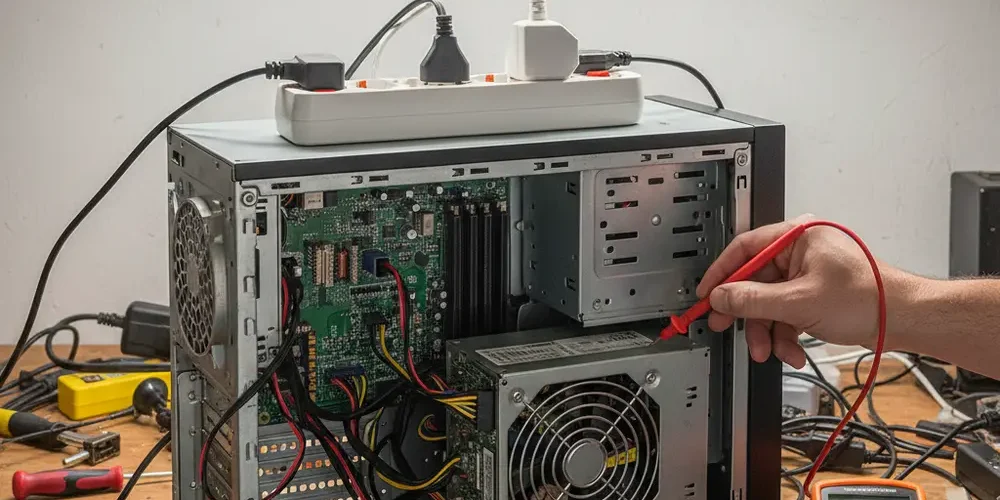
Random restarts and sudden shutdowns can look like a Windows problem, but they often start with unstable power. If you guess wrong, you can waste days chasing drivers while the real fault keeps damaging parts.
By the end of this guide you will be able to separate power, heat, and software symptoms, run a few safe PSU checks, and decide when a replacement or bench diagnosis makes more sense. You will also know what to look for in Windows logs, and how to reduce risk in a South African power environment.
Note for South Africa:
- Load shedding, load reduction, and neighborhood faults can cause fast dropouts that mimic PSU failure, especially when power returns.
- Inverter trolleys, small UPS units, and long extension leads can introduce voltage drop or overload if they are undersized or miswired.
- If you suspect a wiring, earthing, or DB-board surge issue, treat it as electrician territory, do not DIY inside the distribution board.
At a glance:
- First classify the symptom, restart, instant power-off, or reboot loop, then test for a repeatable trigger.
- Rule out heat and obvious software causes before touching PSU cables.
- Check wall power, plugs, extension leads, and UPS bypass, then read Windows Kernel-Power 41 in context.
- Use PSU-specific checks as escalating steps, paper clip only proves start-up, a PSU tester and multimeter add confidence, but a known-good PSU swap is still the best proof.
Key takeaways:
- Kernel-Power Event ID 41 means an unexpected shutdown, not that the PSU is guilty.
- Shutdowns under GPU or CPU load with no blue screen are a common PSU pattern, but thermals and motherboard VRM can look similar.
- In South Africa, external power quality can be the root cause, protect the next PSU with sensible surge and backup practices.
Fast triage, is this power, heat, or software?
Before you buy a new PSU, spend 15 to 30 minutes on triage. The goal is to avoid risky tests, and to avoid changing multiple variables at once.
Start by writing down what you see. A restart is not the same as a hard power-off, and that difference matters for troubleshooting.
- Instant power-off: the PC goes dead as if the plug was pulled, often no blue screen, fans stop immediately.
- Random restart: the PC reboots, sometimes without a blue screen, sometimes while gaming or mining.
- Reboot loop: it powers on, then resets repeatedly during POST or Windows boot.
- Blue screen then restart: more often software, driver, RAM, or storage, but power can still trigger it.
Next, ask one key question: can you reproduce it. If the issue only happens during a game, a render, or mining, that points you toward load, heat, or power delivery.
If it happens when the PC is idle, think broader: sleep states, Windows updates, faulty RAM, or even a short in a USB device. Also consider background load spikes, like antivirus scans.
Quick stop conditions (do not continue)
Some signs mean you should stop testing immediately. Continuing can turn a small PSU issue into a motherboard, GPU, or cable fire issue.
- Burning smell, smoke, crackling, or visible arcing.
- Melted plastic on the 24-pin, CPU EPS, or GPU power connectors.
- Liquid spills, corrosion, or damp inside the case.
- A PSU that trips the wall plug, UPS, or breaker consistently.
PSU failure signs that look like "random restarts"
A failing PSU does not always die dramatically. Many units become unstable first, especially under load or when AC power is disturbed.
The classic pattern, shuts down under GPU or CPU load
The classic pattern is stable browsing, then a sudden restart or power-off when the GPU or CPU ramps up. You might see it during gaming, stress tests, or when a mining rig warms up and pulls steady power.
Why this pattern matters is simple: load increases current draw quickly. If the PSU cannot hold voltage or its internal protections trigger, the system can reset without warning.
- Crash happens within minutes of starting a heavy game, then is fine again after a cool-down.
- Crash happens at the same scene, benchmark step, or hash rate ramp.
- Turning down power limit or disabling boost makes it "more stable", but not truly fixed.
Smells, noises, fan behaviour and what they do and do not prove
People often focus on whether the PSU fan spins, but that is a weak signal. Some PSUs use hybrid or fanless modes, so a non-spinning fan does not automatically mean the PSU is dead, and a spinning fan does not mean it is healthy.
More meaningful signs are electrical, like repeated resets under load, coil whine changes that track instability, or connectors heating up. If you see discoloration on a connector, treat it as a serious warning.
If you want a safe baseline reference for what a basic PSU test can and cannot tell you, read Seasonic's notes on using a tester and limitations in their PSU tester instructions.
Quick tests you can do at home (low risk first)
These checks come before any paper clip test or multimeter work. They reduce risk, and they often reveal that the PSU is not the real problem.
Wall power sanity checks, socket, plug, extension lead, surge strip, UPS bypass
In South Africa, power events can trigger symptoms that look exactly like a bad PSU. The point of this section is not to diagnose the grid, it is to isolate your PC from the most common local setup issues.
- Plug the PC directly into a known-good wall socket, no multi-plug, no extension lead, no surge strip, and test again.
- If you use a UPS or inverter trolley, test with it removed, then test with it added back, one change at a time.
- Check the kettle lead and plug, if it feels loose, warm, or makes crackling sounds, replace it.
- If other devices in the home flicker or reset when your PC loads up, suspect overload or voltage drop on that circuit.
Be cautious with long extension leads, especially cheap thin ones. Voltage drop can increase with distance and load, and that can push a marginal PSU over the edge.
For South African consumer-facing surge advice that is not product-specific, see Discovery's overview on power surge protection tips. MyBroadband also covers practical household steps in power surge protection in South Africa.
Windows evidence, Kernel-Power Event ID 41 and what it can and cannot tell you
On Windows, unexpected shutdowns often log a Kernel-Power event. Many people search for "Kernel-Power 41 PSU" and assume that is a diagnosis, it is not.
Kernel-Power Event ID 41 usually means Windows noticed it did not shut down cleanly. That can be from a PSU drop, a wall power interruption, a reset button, a motherboard fault, or a system crash that prevented a clean shutdown, Microsoft explains the generic nature of this in their Kernel-Power 41 meaning discussion.
- Open Event Viewer, check Windows Logs, then System, and filter for Critical events around the time of the shutdown.
- If you see a clear blue screen code or repeated driver errors just before the crash, power is not your only suspect.
- If the log is clean until the abrupt Kernel-Power event, power or hardware becomes more likely.
If you want help interpreting logs or deciding what to test next, consider booking a proper diagnosis via our professional services or reach out on our contact page.
Decision tree, narrow it down in 10 to 30 minutes
Use this yes or no flow to avoid random guessing. Stop at any safety red flag.
- Did you smell burning, see melted connectors, or hear crackling? Yes, power off, unplug, do not test further, book a bench inspection. No, continue.
- Is the symptom an instant power-off (not a blue screen)? Yes, continue. No, if it is a blue screen, start with RAM, drivers, and storage checks, then come back to power if it persists.
- Can you reproduce it under load (game, stress test, mining)? Yes, continue. No, focus on idle triggers, sleep, USB devices, Windows updates, and RAM.
- Are CPU and GPU temperatures normal right before the crash? No or unsure, clean dust, re-seat coolers, check fan curves, and re-test. Yes, continue.
- Can you reproduce it with simplified hardware (one RAM stick, no extra drives, minimal USB)? No, suspect a peripheral, cable, or drive. Yes, continue.
- Does it happen only when using a UPS, inverter, surge strip, or extension lead? Yes, suspect external power gear or overload, test direct wall power, and consider electrician advice for wiring. No, continue.
- Do a basic PSU start test (paper clip or PSU tester) pass? No, likely PSU failure. Yes, continue, because pass does not prove stability.
- Do spot multimeter checks show abnormal rails, or do crashes persist with a known-good PSU? Yes, replace PSU or investigate motherboard VRM and cabling. No, you likely need a bench diagnosis under load.
Early comparison table, which test tells you what?
Use this table to choose the next step based on the risk level and what you need to learn.
| Test | What it can tell you | What it cannot prove | Risk level |
|---|---|---|---|
| Wall power bypass | Rules out extension leads, UPS, surge strip issues | Does not test PSU health under load | Low |
| Event Viewer check | Confirms abrupt shutdown timing and context | Does not identify the failing part | Low |
| Minimal hardware boot | Finds shorts, bad drives, unstable add-ons | Does not confirm PSU stability | Low |
| Paper clip test | PSU can start and spin a fan | Does not show regulation under load | Medium |
| Basic PSU tester | Quick rail presence check, some show PG | Still not a real load test | Medium |
| Multimeter spot checks | Better rail validation at idle | May miss transient dips during load | Medium |
| Known-good PSU swap | Best practical confirmation | Requires spare PSU and time | Low to medium |
PSU-specific tests (paper clip, PSU tester, multimeter) and their limits
These tests are useful, but do them in a safe order. If you are not comfortable around exposed metal pins and live power, stop and get help.
Paper clip test, what it is and how to do it safely
The paper clip test is a basic start-up test for ATX PSUs. It is often used to check whether the PSU will power on without the motherboard.
The core idea is to short the PS_ON pin to ground on the 24-pin connector, then the PSU should start. Corsair documents the steps and warnings in their article on how to test a PSU.
- Power off, unplug, and wait a few minutes before disconnecting cables.
- Disconnect the PSU from all components before you test, do not leave the motherboard or GPU connected.
- Use a proper PSU jumper if you have one, a paper clip is a last resort.
- Remember the limitation, a fan spinning only shows the PSU can start, not that it can run a PC under load.
If the PSU does not start with this test, that is a strong sign it has failed. If it does start, do not treat that as a clean bill of health.
Using a basic PSU tester
A basic tester is safer and more consistent than a paper clip. It typically shows whether the main rails are present, and some units display a PG or PWR_OK time.
Seasonic's guidance is conservative and highlights that this is a basic check, not a full diagnostic, see their basic PSU test limitations.
- If the tester alarms or shows missing rails, treat the PSU as suspect.
- If the tester passes, you still need to consider load stability, cable condition, and connector heating.
- If your PSU has a hybrid fan mode, fan behavior during testing may be misleading.
Multimeter spot checks on the 24-pin, what to check and what to avoid
A multimeter can add confidence because you can confirm rail voltages instead of trusting a cheap tester display. Corsair includes multimeter testing guidance in their PSU testing article test PSU with a multimeter.
Important limitation: measuring at idle may look fine even if the PSU droops during a GPU spike. For that, a known-good PSU swap or proper load testing is more reliable.
- Check for stable readings, not only a number, if values jump around, that is a clue.
- Do not probe in a way that spreads pins or damages the connector.
- If you are unsure about pin identification, stop, do not guess.
What PWR_OK or PG time means, and why unstable power can reboot a PC
PWR_OK, sometimes shown as PG, is a signal the PSU sends to indicate that power rails are within expected conditions. If the signal is late, unstable, or drops unexpectedly, the motherboard can reset to protect the system.
For deeper engineering context, Intel's desktop power supply design guide discusses power timing behavior, including PWR_OK related expectations, see the Intel power supply design guide. For a simpler overview, Wikipedia summarises the concept in power good signal explained.
This matters in South Africa because fast dropouts and restorations can stress the PSU. Even if the PSU is technically not "dead", repeated borderline events can push it into instability.
Common mistakes
These are the errors that keep people stuck in troubleshooting loops. Avoiding them saves time and prevents damage.
- Replacing the PSU first without checking the wall plug, extension leads, or UPS behavior.
- Assuming Kernel-Power 41 means the PSU is faulty, without checking temperatures or crash context.
- Doing the paper clip test with components still connected, which can damage hardware.
- Ignoring hot connectors, discoloration, or loose GPU power plugs.
- Changing multiple things at once, then not knowing what fixed or broke the system.
If you're new
If you have never troubleshot power issues before, start here. Keep it simple and safe.
- Take photos before unplugging anything, especially GPU and CPU power cables.
- Clean dust filters and check that all fans spin freely.
- Re-seat the 24-pin and CPU EPS connectors, they should click firmly.
- Test one change at a time, then try to reproduce the crash.
- If you are unsure, rather stop and ask for help via contact us.
If you have done this before
If you are comfortable working inside a PC, these steps usually give faster answers.
- Run a controlled load test and watch GPU and CPU temps, clock behavior, and power limits.
- Try a known-good PSU swap if you have access to one, this often beats hours of testing.
- Inspect the GPU power connectors for heat marks, and check that the cable type matches the PSU.
- Boot with minimal hardware and add components back one by one.
- Capture Event Viewer exports around the crash to compare patterns across tests.
When to stop testing and replace, RMA, or book a diagnosis (and how to protect your next PSU in SA)
Sometimes the correct move is to stop. If the PSU is out of warranty and you have strong indicators, replacement is often cheaper than repeated downtime and potential collateral damage.
- Replace or RMA if the PSU fails to start, fails a tester, or shows clear instability and you have ruled out thermals and wall power.
- Book a bench diagnosis if symptoms persist with a known-good PSU, because motherboard VRM, RAM, or GPU faults can mimic power loss.
- Do not keep mining on a suspect PSU, continuous load can overheat cables and connectors.
If you need help sourcing a suitable replacement or want advice on protecting your setup, browse our shop or check our broader troubleshooting articles in Insights.
Practical protection for South Africa, without over-promising
You cannot fully control power quality, but you can reduce risk. Keep recommendations principle-based and avoid overloaded plug points.
- Use a correctly rated surge protector at the plug point, and replace it if it has taken a major hit.
- Consider a UPS sized for your real load, not marketing watts, and test that it can handle load transitions.
- Unplug during outages if practical, and wait a short while after power returns before reconnecting, this reduces exposure to restoration surges, see Eskom communications for context on power interruptions and load reduction Eskom load reduction explanation.
If you suspect a DB-board surge device is needed, or you have repeated equipment damage, use a qualified electrician. Do not open the DB board yourself.
Frequently asked questions
Does Kernel-Power Event ID 41 mean my PSU is failing?
No. It usually means Windows detected an unclean shutdown, which can come from power loss, resets, crashes, or hardware faults, so you still need tests and context.
Is the paper clip test enough to confirm a good PSU?
No. It only shows that the PSU can start, it does not prove stable voltage regulation under load, and it cannot reproduce GPU spike conditions.
My PC only shuts down during gaming, but temperatures look fine, what next?
Rule out external power gear first, then inspect and re-seat power connectors, and consider a known-good PSU swap. If the issue follows the PSU, replacement is likely.
Can load shedding or power restoration damage a PSU?
Power events can stress electronics, especially repeated interruptions and restorations. That is why surge protection and sensible reconnection practices matter, even if the PSU was originally fine.
Should I keep mining if I suspect power instability?
No. Mining is a continuous high-load pattern that can amplify marginal power issues, heat cables, and increase the chance of connector damage, pause and diagnose first.
Quick summary
- Classify the symptom first, restart, hard power-off, reboot loop, or blue screen.
- Eliminate wall power, extension lead, UPS, and thermal issues before PSU-specific tests.
- Use Event Viewer as evidence, not a verdict, Kernel-Power 41 is generic.
- Paper clip and basic testers are useful, but a known-good PSU swap is the best practical confirmation.
- Protect your next PSU with sensible surge and backup practices, and use an electrician for DB-board work.
This is educational content, not financial advice.

