
How to Spot a Scammer When Selling Your Gaming Laptop
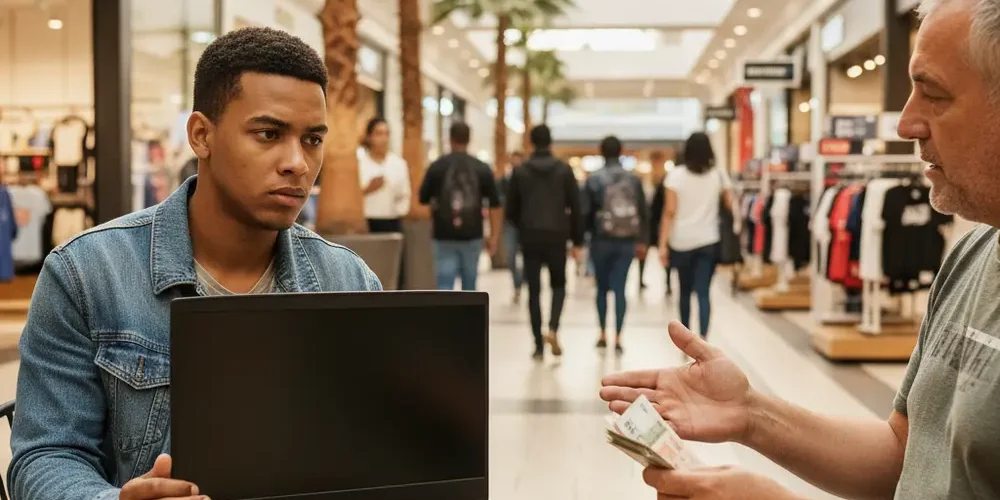
Gaming laptops are high-value devices, and that makes them a prime target for scammers operating on South African online marketplaces. One moment of carelessness during a sale can cost you both your device and your money.
By the end of this article, you will know how to identify the most common scam tactics used against private sellers in South Africa, how to verify a buyer before handing anything over, and exactly what steps to take if something feels wrong. This is a practical guide you can refer to on the day of a sale.
Note for South Africa:
- The most common platforms where these scams occur are OLX, Gumtree, Facebook Marketplace, and WhatsApp community buy-and-sell groups.
- Fake EFT proof of payment (POP) is one of the most widely reported scams in South Africa. A screenshot is not proof that money has cleared.
- Load shedding is sometimes used as an excuse to delay payment verification. Do not hand over your device until you have confirmed the funds in your own banking app.
- Cash payments carry their own risk. Counterfeit notes are in circulation, so verify cash with a bank teller or counterfeit detector pen before leaving the meeting point.
At a glance:
- Gaming laptops attract scammers because of their high resale value and strong buyer demand.
- The four main scam types are fake POP, overpayment, fake courier or escrow, and personal info harvesting.
- You should verify payment in your own banking app before handing over the device, not from a screenshot.
- Meeting in a busy public place such as a shopping centre or police station parking lot reduces your physical risk.
Key takeaways:
- Never accept a proof of payment screenshot as confirmation. Log into your banking app and verify the deposit yourself.
- If a deal feels rushed, overly generous, or asks for personal details, walk away.
- Report scam attempts to SAPS and the platform where the contact was made.
Why Gaming Laptops Attract Scammers More Than Other Devices
A mid-range gaming laptop can sell for anywhere between R8,000 and R25,000 on the private market. That price point puts it in the same category as other high-theft-risk items like smartphones and power tools, but with the added factor that buyers expect the seller to demonstrate the device in person.
Scammers know that private sellers are often motivated to close the deal quickly, especially if the listing has been sitting for a while. They use urgency, flattery, and fake payment confirmations to exploit that motivation. Understanding why gaming laptops are a magnet for fraud is the first step to protecting yourself when you decide to sell.
High-value electronics are also easy to re-sell quickly, which gives fraudsters a strong incentive to target them. If you are planning to sell, read our guide on how to sell your items for a safer starting point.
The Most Common Scams Targeting Private Sellers in South Africa
These four scam types are regularly reported by South African sellers on OLX, Gumtree, and Facebook Marketplace. Knowing how each one works is your best defence.
The Fake Payment or Proof of Payment Scam
This is the most common scam in South Africa for private sales. The buyer sends you a WhatsApp screenshot of a bank transfer that appears real, complete with bank branding and a reference number. The money never arrives. The screenshot is either edited or generated using a fake banking interface.
As SABRIC warns in their online fraud guidance, you should never accept a proof of payment screenshot as confirmation of cleared funds. Always log into your own banking app and check your account balance before handing over anything. Under the Cybercrimes Act 19 of 2020, sending a fraudulent data message, including a fake POP, is a criminal offence in South Africa.
The Overpayment Scam
The buyer agrees to your price, then sends an amount that is more than you asked for. They claim it was a mistake and ask you to refund the difference via EFT or another method. In reality, the original payment is either fake or will be reversed by the bank, and you end up losing both the device and the refund amount.
As the FTC’s online selling safety guidance makes clear, any buyer who overpays and requests a refund before the original payment has fully cleared is running a scam. Never refund a difference until you have confirmed with your bank that the original funds are permanently in your account.
The Courier or Escrow Scam
The buyer claims to be out of town or overseas and offers to arrange a courier pickup or use an escrow service to handle payment securely. The courier company is fake, or the escrow site is a clone designed to steal your banking details. You hand over the device to a courier, and neither the payment nor the laptop is ever seen again.
A legitimate buyer in South Africa will almost always be willing to meet in person. Be very cautious of any buyer who insists on a courier or remote escrow arrangement, especially if they seem overly eager to close the deal.
The Identity Theft or Personal Info Harvesting Scam
Some fraudsters are not after your laptop at all. They use the listing as a way to collect your ID number, banking details, or other personal information under the guise of a secure payment or verification process. This information can then be used for identity fraud.
Never share your ID number, banking account details, or any OTP with a buyer. A legitimate buyer does not need any of this information to pay you for a second-hand laptop.
Red Flags to Watch For Before You Even Meet the Buyer
Most scams can be identified during the initial contact phase, before any meeting takes place. Watch for these warning signs in your messages and calls.
| Red Flag | What It Might Mean | What to Do |
|---|---|---|
| Buyer agrees to price immediately without questions | No genuine buyer skips inspection. This signals low intent to actually inspect. | Ask clarifying questions to test legitimacy. |
| Requests your ID, banking details, or OTP | Personal info harvesting or identity fraud attempt. | Refuse and report the user on the platform. |
| Insists on courier or escrow only | Classic courier or fake escrow scam setup. | Only agree to in-person handover. |
| Uses urgency or pressure tactics | Designed to stop you thinking clearly before the deal closes. | Slow down. A real buyer will wait. |
| Profile is new, has no reviews, or looks incomplete | Throwaway account created for fraud. | Check the profile history before responding. |
| Offers to pay more than your asking price | Likely setting up an overpayment refund scam. | Decline any payment above your listed price. |
| Blames load shedding or connectivity issues for delays | May be buying time or stalling payment verification. | Do not hand over the device until payment is confirmed. |
How to Verify a Buyer Before Agreeing to a Sale
Taking a few minutes to verify a buyer’s legitimacy can save you a significant amount of money and stress. These steps apply whether you are selling on OLX, Gumtree, or Facebook Marketplace.
- Check their profile age and activity. A profile created days ago with no transaction history is a warning sign.
- Search their number or name online. Paste their WhatsApp number or name into Google and see if any scam reports come up. Hello Peter’s scam reports are a useful local reference.
- Ask specific questions about the laptop. A genuine buyer will ask about specs, condition, and battery life. A scammer usually skips straight to payment logistics.
- Request a video call before meeting. Many scammers will refuse or make excuses to avoid a live video call.
- Confirm payment in your banking app, not on a screenshot. South African banks including FNB, Capitec, Absa, Nedbank, and Standard Bank all provide instant notifications via their apps. Log in and check your account balance yourself.
For additional platform-specific guidance, review the OLX South Africa safety tips page before listing your device.
Safe Meeting and Handover Practices in South Africa
Choosing the right time and place for a handover is just as important as verifying the payment. These are the most widely recommended practices for private sellers in South Africa.
- Meet in a busy public place. A shopping centre food court, a petrol station forecourt, or a bank branch are all good options. Police station parking lots are also widely used and generally considered a deterrent to bad actors.
- Meet during daylight hours only. Avoid evening or nighttime meetings, especially in unfamiliar areas.
- Bring someone with you. Do not meet a stranger alone, particularly for a high-value item.
- Do not hand over the device until payment is confirmed. Log into your banking app in front of the buyer and confirm the funds before passing the laptop over.
- If paying cash, count and verify every note. Counterfeit R200 and R100 notes are in circulation in South Africa. Use a counterfeit detector pen or ask to go inside a nearby bank branch to verify.
- Trust your instincts. If something feels wrong when you arrive, you are not obligated to proceed. Leave and report the incident.
Common Mistakes Sellers Make
Even experienced sellers make these errors. Being aware of them in advance reduces your risk significantly.
- Accepting a POP screenshot as confirmation without checking their own bank account.
- Agreeing to meet at night or in a poorly lit location to accommodate the buyer.
- Sharing their ID number or banking account details to "verify identity" for payment purposes.
- Handing over the device before waiting for the payment to reflect in their account.
- Refunding an overpayment before the original payment has fully cleared and been confirmed as legitimate.
- Ignoring red flags because they are eager to sell quickly and close the deal.
If You Are New to Selling Used Electronics
If this is your first time selling a high-value device privately, these basics will help you start safely.
- List on reputable platforms like OLX or Facebook Marketplace rather than informal WhatsApp groups where there is no moderation or reporting mechanism.
- Take clear, detailed photos of the device yourself, including any scratches or wear. This protects you from false claims after the sale.
- Set a firm asking price and do not entertain buyers who want to negotiate aggressively over WhatsApp before they have even seen the item.
- Do not advertise your home address. Arrange to meet at a neutral public location from the start.
- If you are unsure about the process, consider using a platform like Sell Your PC where the selling process includes professional oversight.
If You Have Sold Used Electronics Before
If you have done this before, you may already know the basics. These are the less obvious risks that catch even experienced sellers off guard.
- Scam tactics evolve constantly. The fake POP scam now uses increasingly convincing bank-branded templates that are hard to spot without checking your actual account.
- Courier scams have become more sophisticated. Some fraudsters use fake courier company websites with professional branding and tracking numbers that lead nowhere.
- Identity harvesting is not always obvious. Sometimes the questions seem innocent, such as asking for your full name for a payment reference, but the goal is to build a profile for fraud.
- Even a buyer with some profile history can be a scammer. Account takeovers and borrowed accounts are used to add a layer of credibility.
- Stay updated on the latest trends by checking MyBroadband security news and local consumer platforms regularly.
What to Do If You Think You Have Been Scammed
Acting quickly improves your chances of limiting the damage. Follow these steps in order.
- Contact your bank immediately. If you have sent money or shared banking details, call your bank’s fraud line as soon as possible. Banks can sometimes reverse or block transactions if contacted quickly.
- Report to SAPS. Open a case at your nearest police station or use the SAPS fraud awareness resources to understand how to open a fraud case in South Africa. Get a case number.
- Report on the platform. Use the reporting tools on OLX, Facebook Marketplace, or Gumtree to flag the buyer’s account. This helps protect other sellers.
- Preserve all evidence. Screenshot every message, call log, and payment notification. Do not delete anything.
- Contact SABRIC if the fraud involved banking details. SABRIC coordinates with South African banks on fraud cases. Their guidance is available at their internet banking safety page.
Note that the Consumer Protection Act has limited application to private peer-to-peer sales. Your strongest recourse is through SAPS and your bank’s fraud department. The Consumer Goods and Services Ombud can provide guidance on what options are available to you depending on your situation.
Pre-Sale Safety Checklist
Use this checklist before and during every private sale. It is designed to be easy to screenshot and use on the day.
Before listing:
- Use a dedicated email address for marketplace listings, not your personal or work email.
- Do not include your home address anywhere in the listing.
- Set your asking price based on current market rates and stick to it.
When a buyer contacts you:
- Check their profile age, reviews, and activity history.
- Search their number online for any scam reports.
- Ask at least three genuine questions about the device to test intent.
- Refuse any request for your ID number, banking details, or OTP.
On the day of the sale:
- Meet in a busy, well-lit public location during daylight hours.
- Bring a trusted person with you.
- Confirm the payment in your own banking app before handing over the device.
- Verify any cash notes before completing the transaction.
- If something feels wrong, leave. You are not obligated to complete the sale.
If you would prefer to skip the risks of private selling entirely, you can sell your device through Sell Your PC for a safer, more structured process. You are also welcome to contact us if you have questions about how it works.
Frequently asked questions
Is a proof of payment screenshot enough to confirm I have been paid?
No. A screenshot can be edited or generated using a fake banking interface. Always log into your own banking app and verify that the funds have reflected in your account before handing over your device.
Can I ask a buyer to show their ID before completing a sale?
You can request it, but a buyer is not legally required to provide ID for a private sale in South Africa. More importantly, you should not share your own ID number with a buyer as this puts you at risk of identity fraud.
What is the safest way to receive payment when selling a gaming laptop privately?
EFT into your bank account is the most common method, but you must confirm the funds have cleared in your own app before proceeding. Avoid accepting payments via third-party apps or platforms you are unfamiliar with.
Are courier-only buyers always scammers?
Not always, but insisting on courier-only pickup for a private sale is a significant red flag in South Africa, especially when combined with other warning signs. If the buyer cannot meet in person and pushes for a courier or escrow arrangement, treat the contact with extreme caution.
What law covers online fraud in South Africa?
The primary legislation is the Cybercrimes Act 19 of 2020, which criminalises online fraud, the sending of fraudulent data messages, and related offences. Fraud cases should be reported to SAPS, and if banking details were involved, to your bank and SABRIC as well.
Before you go: a quick summary
- Never accept a POP screenshot. Verify funds in your own banking app every time.
- Watch for red flags in early contact: urgency, requests for personal info, and offers to overpay.
- Always meet in a public place during daylight, with someone you trust alongside you.
- If scammed, contact your bank immediately, then open a case with SAPS and report on the platform.
- When in doubt, use a structured selling platform to avoid the risks of private sales entirely. Browse our shop or visit our insights blog for more practical guides.
This is educational content, not financial advice.

