
Verify a Miner’s Hashrate Before Buying Used
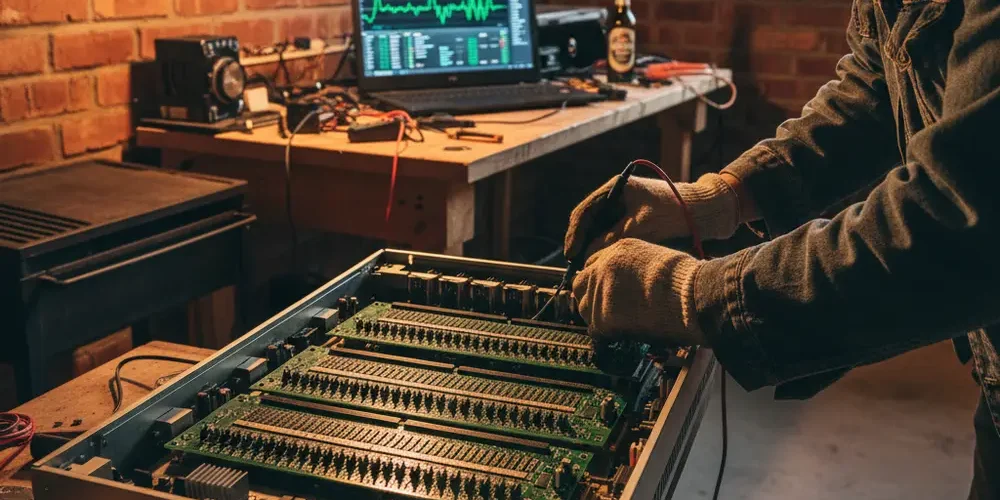
Buying a used ASIC miner without verifying its hashrate is one of the most expensive mistakes you can make in the South African crypto mining market. A degraded or misrepresented miner can cost you more in electricity than it earns, from the very first day it runs.
By the end of this guide, you will know how to physically inspect a used ASIC, read its built-in diagnostic dashboard, and confirm its real-world hashrate against a live mining pool, all before you hand over a single rand. These steps work whether you are buying an Antminer, a Whatsminer, or any other major ASIC brand.
Note for South Africa:
- Load-shedding can interrupt a live pool test. Ask the seller whether they are on backup power (inverter or generator) and schedule your test during a stable window.
- The SA used miner market includes a significant volume of imported, refurbished, and bulk-liquidated units. Undisclosed repairs and mixed-brand hash boards are common.
- Platforms like Gumtree, OLX, and Facebook Marketplace offer no buyer protection. In-person verification before payment is essential. Read more about the risks in the South African second-hand miner market.
At a glance:
- Inspect the physical condition of hash boards, fans, and connectors before powering on.
- Access the miner’s web UI to read per-board hashrate and chip error rates.
- Run a 10 to 30-minute live pool test to confirm real-world output.
- Use the results to make a clear go or no-go decision before paying.
Key takeaways:
- A seller’s screenshot or verbal claim about hashrate is not verification.
- Pool-reported hashrate is the most reliable number you can get on-site.
- A miner drawing full power but producing low hashrate is a cost trap, especially at South African electricity rates.
Why Hashrate Verification Matters When Buying Used
Hashrate is the single most important performance metric on an ASIC miner. It determines how much Bitcoin or other proof-of-work coins the device earns per day. A miner advertised at 100 TH/s that only delivers 70 TH/s will produce roughly 30% less revenue while drawing nearly the same power.
At South African electricity tariffs, that gap can turn a marginally profitable machine into one that actively loses money. You can check the current Eskom Homeflex and Megaflex rates on the official Eskom tariff schedule to run your own numbers before committing.
The Risk of Taking a Seller’s Word for It
Most sellers are honest, but the used ASIC market has enough bad actors to justify scepticism. Screenshots of a pool dashboard can be edited or taken from a different machine entirely. A miner may perform well for 20 minutes during a staged demo and then throttle under sustained load due to a cooling or chip fault.
The only reliable verification is a live test you control, on equipment you are about to buy, with pool data you can read yourself.
What You Need Before You Start Testing
Arrive at the inspection prepared. Rushing the process under time pressure from the seller is how buyers make expensive errors.
- A laptop or phone connected to the same local network as the miner, for accessing the web UI.
- A free account on a mining pool such as Braiins Pool, NiceHash, or F2Pool, set up in advance with a temporary worker name.
- The manufacturer’s rated spec for the exact model and variant you are buying, looked up before the visit.
- A network cable if the seller’s setup is WiFi-only and you need a wired connection to access the UI.
- A stopwatch or phone timer to track the minimum pool observation window.
Step 1 – Physical Inspection Before Powering On
Do not skip the physical check. The outside of a miner tells you a great deal about how it has been treated. How to evaluate used crypto mining hardware covers this process in useful detail for intermediate buyers.
Hash Boards, Fans, and Connectors to Check
Work through the following before you touch the power switch:
- Hash boards: Look for burn marks, corrosion, or signs of re-soldering. Mismatched board revision numbers suggest a board replacement, which may indicate a prior failure.
- Fans: Spin each fan by hand. It should turn freely with no grinding or wobble. Seized or noisy fans cause thermal throttling and reduce sustained hashrate.
- PSU connectors and cables: Check for melted insulation, discoloured connectors, or signs of overheating at the plugs.
- Chassis: Dents or warping can indicate the unit was dropped. Check that the chassis sits flat and all screws are present.
- Thermal paste: If you can safely view the heat sinks, dried or absent thermal paste indicates poor maintenance history.
| What to check | Good sign | Warning sign |
|---|---|---|
| Hash boards | Clean, matching revision numbers | Burn marks, mismatched boards |
| Fans | Spin freely, no noise | Grinding, wobble, seized |
| PSU connectors | Clean, no discolouration | Melted or scorched insulation |
| Chassis | Flat, all screws present | Dents, warping, missing hardware |
| Thermal paste | Visible and pliable | Dried out, cracked, absent |
Step 2 – Accessing the Miner’s Built-In Diagnostic Dashboard
Once the miner is powered on and connected to the local network, open a browser and navigate to the miner’s IP address. Most ASIC miners run a web-based dashboard accessible from any device on the same network. Default credentials are model-specific and widely available in manufacturer documentation.
Reading the Web UI Hashrate vs Rated Spec
The dashboard shows you the miner’s self-reported performance. For Antminers, look for the RT (real-time) and average hashrate fields, plus per-board breakdowns and chip error counts. You can find detailed guidance in the Antminer status monitoring guide from Bitmain’s official support pages.
For Whatsminers, the web interface breaks hashrate down by individual hash board. A board showing zero hashrate indicates a failed or disconnected board. Temperature readings above manufacturer thresholds trigger automatic throttling, which will reduce the hashrate you observe during the test. Check the Whatsminer web interface diagnostics guide for model-specific details.
Key numbers to note from the web UI:
- Real-time hashrate per board and total
- Chip error count per board (any non-zero figure warrants investigation)
- Fan RPM for each fan (compare against the expected range for the model)
- Inlet and outlet temperatures
- Firmware version (compare against the latest official release)
The web UI figure is a starting point, not a final verdict. It reflects what the miner’s own controller reports, which can occasionally be influenced by cached data or non-standard firmware. Always confirm against a live pool.
Step 3 – Verifying Hashrate Against a Live Mining Pool
Pool-reported hashrate is the most independent measure available on-site. The pool measures work submitted by the miner and calculates an effective hashrate based on accepted shares. This number cannot be faked by the miner’s firmware in the same way a web UI figure potentially can.
How to Set Up a Temporary Pool Account for Testing
Set this up before you arrive at the inspection. The process takes under five minutes on any major pool.
- Create a free account on Braiins Pool, NiceHash, or F2Pool.
- Add a worker with a name you will recognise (for example, "test01").
- Note the pool’s stratum URL and port for the relevant algorithm (SHA-256 for Bitcoin).
- At the inspection, access the miner’s pool configuration page in the web UI and enter your pool URL, worker name, and password.
- Save the settings and allow the miner to reconnect.
F2Pool requires no minimum balance to view hashrate data, making it well suited to a short test. NiceHash’s dashboard updates quickly and is familiar to many intermediate users. For guidance on reading pool-side data, see the F2Pool hashrate dashboard explained guide.
What a 10-to-30-Minute Pool Window Actually Tells You
Pool hashrate is calculated from share submissions over time, so the figure fluctuates in the first few minutes. A 10-minute window gives you a rough indication. A 20 to 30-minute window gives you a more stable average that you can meaningfully compare against the rated spec.
What to look for during the window:
- Average hashrate vs rated spec: A variance of up to roughly 5% below rated is generally within normal operating tolerance. A consistent gap of 10% or more warrants explanation.
- Rejected share rate: A high rate of rejected shares points to hardware faults, connectivity issues, or problematic firmware.
- Stability: Hashrate that spikes and drops erratically suggests a thermal or chip fault rather than stable degraded performance.
Interpreting Results – Acceptable Variance vs a Real Problem
No used ASIC will perfectly match its factory specification. Minor degradation is normal and expected. The question is whether the gap is within an acceptable range for the price being asked.
Use this framework to interpret your results:
- Within 5% of rated spec: Normal variance. The miner is performing as expected for a used unit.
- 5% to 10% below rated spec: Investigate the cause. Could be a minor chip fault, thermal issue, or tuning. Negotiate the price accordingly.
- More than 10% below rated spec: A significant fault is present. Do not pay the asking price without a clear explanation and a matching discount.
- One board showing zero: A dead hash board. The miner is running at roughly two-thirds of its rated output. This should be reflected very heavily in the price.
Common Causes of Underperformance in Used ASICs
Understanding why a miner underperforms helps you decide whether it is worth buying at a lower price or walking away entirely.
- Damaged or partially failed chips on one or more hash boards
- Inadequate cooling due to fan failure or dust blockage
- Unofficial or modified firmware that misreports or throttles performance
- Aftermarket chip replacements that perform inconsistently under sustained load
- Thermal paste degradation causing heat soak and automatic throttling
Red Flags That Should Stop the Purchase
Walk away or pause the transaction if you encounter any of the following:
- The seller refuses to allow a live pool test and offers only screenshots as proof of performance.
- The miner’s firmware is unofficial, heavily modified, or cannot be identified against a known manufacturer release.
- Board serial numbers in the web UI do not match each other or do not match the unit’s external label.
- The miner runs hot within minutes of startup, with fan RPM at maximum and temperatures close to or above threshold.
- The seller applies unusual pressure to complete the transaction quickly, limiting your inspection time.
- The web UI shows chip error counts that are consistently high across multiple boards.
As identified in used miner inspection best practices, sellers who present screenshot evidence instead of a live test should be treated with significant caution.
Common Mistakes Buyers Make
- Accepting a seller’s verbal hashrate claim or a photo of a dashboard as verification.
- Skipping the physical inspection and going straight to the power-on test.
- Running a pool test for less than 10 minutes and treating the result as definitive.
- Not checking chip error rates, focusing only on the total hashrate figure.
- Ignoring firmware version mismatches or non-standard firmware builds.
- Failing to factor South African electricity tariffs into the viability calculation for a degraded unit.
If You Are New to Buying Used ASICs
- Look up the exact model’s rated hashrate and power draw on the manufacturer’s website before the inspection visit.
- Set up your pool account and note your worker credentials the day before, not on the day.
- Bring a friend or colleague who can observe the seller while you focus on the diagnostic steps.
- Do not be afraid to ask the seller to wait while the pool test runs for a full 20 minutes.
- If you are uncomfortable with the inspection process, consider buying from a tested and verified source. You can browse Bitcoin ASIC miners on Sell Your PC as an alternative to the private market.
Most upgrade swaps we see in 2026 are buyers trading used S19-class units into a Bitmain Antminer S21 Pro 245TH, with Scrypt operators stepping up from L7 into the Bitmain Antminer L11 20G.
If You Have Bought Used ASICs Before
- Pay particular attention to firmware version. Non-standard firmware can artificially inflate the web UI hashrate without reflecting real silicon performance.
- Check board revision numbers individually in the web UI. Mismatched revisions confirm board replacements and may indicate a repair history that the seller has not disclosed.
- Consider whether the miner’s efficiency (joules per terahash) is still viable at your specific electricity tariff. A degraded unit may still be worth running if the price reflects the reduced output.
- If you have access to third-party diagnostic tools, use them. The web UI gives a useful picture but per-chip diagnostics from software like Braiins OS+ provide significantly more detail when available.
What to Do If You Cannot Test Before Buying
In-person testing is strongly preferred. If circumstances make it impossible, your options are limited but not zero.
Escrow, Warranties, and Seller Accountability in South Africa
If you are buying remotely, propose an escrow arrangement where payment is held by a neutral third party and released only after you have confirmed the miner’s performance. Some specialist SA mining communities facilitate this informally.
On the question of legal recourse, the picture in South Africa depends on who you are buying from. The Consumer Protection Act 68 of 2008 applies when the seller is a business selling in the ordinary course of trade. Private peer-to-peer sales are governed by common law, and the voetstoots principle (sold as-is) can limit your options if the seller did not actively conceal a defect. You can read more about buyer rights when purchasing used tech in South Africa for a fuller picture. This article does not constitute legal advice.
Buying from a registered business with a physical address gives you stronger recourse. If you would rather avoid the verification risk entirely, contact the Sell Your PC team to ask about tested and refurbished ASIC miners available locally.
Checklist – Hashrate Verification Steps at a Glance
Save this to your phone or print it before your next inspection visit.
- Before you arrive: Look up the model’s rated hashrate and power draw. Set up a pool account with a named worker.
- Physical check: Inspect hash boards for burn marks and mismatched revisions. Check fans spin freely. Check connectors for heat damage. Inspect the chassis.
- Power on and access web UI: Note real-time and average hashrate per board. Record chip error counts. Check fan RPM and temperatures. Note firmware version.
- Configure your pool: Enter your pool’s stratum URL and worker name in the miner’s pool settings. Save and reconnect.
- Run the pool test: Wait for the hashrate to stabilise (allow at least 10 minutes, ideally 20 to 30). Record the pool-reported average hashrate. Note the rejected share percentage.
- Interpret results: Compare pool average against the rated spec. Apply the variance framework above. Make your go or no-go decision.
Frequently asked questions
How long does a pool test need to run to be reliable?
A minimum of 10 minutes gives you a rough indication, but 20 to 30 minutes produces a more stable average. Pool hashrate fluctuates based on share luck in short windows, so a longer test gives you a truer picture of sustained performance.
Can the miner’s web UI hashrate be faked?
The web UI reports what the miner’s own controller calculates. Non-standard or modified firmware can potentially distort this figure. A live pool test provides an independent verification that is much harder to manipulate, because the pool measures actual work submitted by the hardware.
What is an acceptable hashrate variance for a used ASIC?
Up to approximately 5% below the manufacturer’s rated specification is generally considered normal variance for a used unit running under real-world conditions. A consistent gap of more than 10% below rated spec indicates a fault that should be reflected in the price or treated as a reason to walk away.
Does load-shedding affect the pool test result?
Yes. Power interruptions during the test will produce an inaccurate reading. If the seller is running on an inverter or generator, confirm the backup power is stable before starting the test. If load-shedding is active and no backup power is available, reschedule the test for a stable window.
Does the Consumer Protection Act protect me if a seller misrepresents hashrate?
It depends on the seller. The CPA applies to businesses selling in the ordinary course of trade. Private individual sales are governed by common law, and the voetstoots principle may limit your recourse unless the seller actively concealed the defect. Always verify hashrate yourself before paying, regardless of what the seller claims.
Summary
- Physical inspection, web UI diagnostics, and a live pool test together give you a complete picture of a used ASIC’s real condition.
- Pool-reported hashrate is the most reliable number available on-site and cannot be faked as easily as a web UI figure or a screenshot.
- A variance of more than 10% below rated spec is a meaningful fault. A dead hash board is a major fault. Both should significantly affect the price you are willing to pay.
- South African buyers face additional risks from load-shedding, imported refurbished stock, and limited legal recourse on private sales. In-person verification before payment is non-negotiable.
- If you would prefer to skip the verification process entirely, consider buying a tested unit from a reputable local source such as the Sell Your PC shop.
This is educational content, not financial advice.

