
Sell Old Tech Safely in South Africa
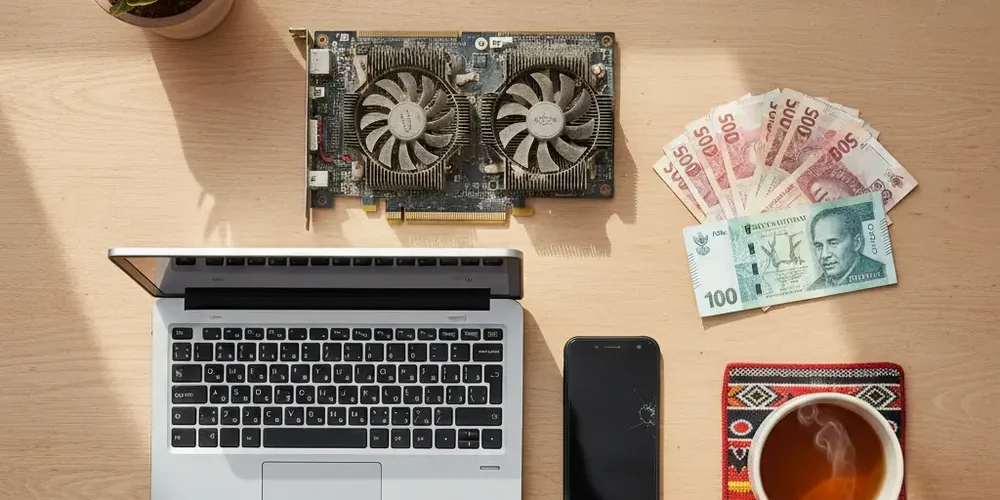
Selling old tech is one of the quickest ways to put real money toward a new PC or laptop, but a rushed or careless sale can cost you far more than you gain. Data theft, fake payments, and personal safety risks are everyday realities for South African sellers transacting on peer-to-peer platforms.
By the end of this guide, you will know exactly how to prepare your device, price it fairly for the local market, choose the right platform, and complete a safe handover. You will also have a ready-to-use pre-sale checklist you can work through before every transaction.
Note for South Africa:
- Fake proof-of-payment (PoP) screenshots are one of the most common scams on Gumtree SA and Facebook Marketplace. Always verify money in your banking app, not on a screenshot.
- Meeting strangers for cash handovers carries real personal safety risk. Use a public shopping centre or a police station parking lot, never your home address.
- Load shedding can affect how buyers perceive battery health on laptops and UPS-dependent setups, so document battery condition before listing.
At a glance:
- Wipe your device properly before selling, including signing out of all linked accounts.
- Price based on the South African second-hand market, not international guides.
- Use a verified payment method and confirm funds before handing anything over.
- Meet buyers in safe, public locations and keep a written record of every sale.
Key takeaways:
- A factory reset alone may not be enough on older devices. Encrypt first, then reset.
- EFT payments in South Africa can be disputed, so verify in your banking app before releasing goods.
- Disclosing known defects protects you legally under the Consumer Protection Act.
Why Selling Old Tech Is a Smart Way to Fund Your Next PC or Laptop
New PCs and laptops in South Africa are expensive, partly because of import costs and the rand’s exposure to exchange rate fluctuations. Selling old hardware offsets that cost using money that is already sitting idle in a drawer. Even a mid-range laptop that is two or three years old can return a meaningful amount in the local second-hand market.
The key is treating the sale seriously. A well-prepared device with honest photos and a realistic price will sell faster and at a better price than one listed carelessly.
What Kinds of Old Tech Are Actually Worth Selling?
Most working electronics hold some resale value locally. The following categories tend to move well on South African platforms:
- Laptops and ultrabooks in working condition, even older models
- Desktop PCs and individual components such as graphics cards, RAM, and SSDs
- Smartphones and tablets with no screen damage or charging faults
- Peripherals such as mechanical keyboards, monitors, and webcams
- Routers, network switches, and smart home devices
Items that are broken, incomplete, or missing chargers will still sell, but at a steep discount. Be honest in your listing and price accordingly. You can also explore our sell your items page if you want a direct and hassle-free option for used tech in South Africa.
Step 1 – Prepare Your Device Before Listing It for Sale
Preparation is what separates a smooth sale from a dispute or a data breach. Rushing this step is the single most common mistake sellers make. Take the time to do it properly.
Wiping Your Data – What You Must Do Before Handing Over Any Device
Simply deleting your files is not enough. Data recovery tools can retrieve deleted files from a device that has not been properly wiped. A full reset or secure wipe is required before any handover.
Here is what to do by device type:
- Android phones and tablets: Back up your data to Google Drive, then remove your Google account from the device. After that, perform a factory reset from the Settings menu. Note that on older Android devices running below Android 6.0, you should encrypt the device before resetting for stronger data removal. Follow the official steps from Google Support on how to factory reset an Android device.
- iPhones and iPads: Back up to iCloud or a computer. Sign out of your Apple ID and disable Find My iPhone to remove the Activation Lock. Then use Erase All Content and Settings. Failing to remove Apple ID can make the device unusable for the buyer. Full guidance is available from Apple Support on preparing your iPhone for sale.
- Windows laptops and PCs: Sign out of your Microsoft account and deactivate BitLocker encryption if enabled. Then use the built-in Reset this PC function and choose "Remove everything" combined with "Clean the drive" for the most thorough wipe. Microsoft provides clear steps on how to reset a Windows PC before selling.
Under South African data privacy law (POPIA), leaving your personal information on a sold device is not just an inconvenience. It exposes your data to potential misuse and removes your control over who accesses it. POPIA became fully enforceable on 1 July 2021. Treat a proper wipe as a legal responsibility, not just a courtesy.
Also remove your SIM card and any microSD or memory cards before handing the device over. These are easy to forget and can contain contacts, photos, and saved passwords.
Physically Inspecting and Cleaning Your Device for Better Value
A clean device photographs better, creates a better first impression, and can command a higher price. Wipe down the screen, keyboard, and chassis with a soft dry cloth. Document every scratch, dent, or fault honestly with clear photos taken in good natural light.
Check battery health if the device allows it and mention it in the listing. In South Africa, where load shedding puts extra strain on laptop batteries, buyers are especially cautious about battery condition. Disclosing this upfront builds trust and reduces post-sale disputes.
Step 2 – Pricing Your Old Tech Realistically in the South African Market
South African second-hand prices follow different patterns to US or UK resale guides. Import costs, the rand’s weakness, and local supply all affect what buyers are willing to pay. Global benchmarks will usually mislead you.
Where to Check Second-Hand Prices Locally
The most reliable method is to search the platform you plan to use and look at completed or active listings for the same model. Check Gumtree SA, OLX, and Facebook Marketplace to get a range. Look at what is actually selling, not just what sellers are asking.
Use this comparison table to understand the trade-offs between pricing strategies:
| Pricing approach | Likely outcome | Best for |
|---|---|---|
| Price at the top of market range | Slower sale, more negotiation | Devices in excellent condition with original box |
| Price in the middle of the range | Steady interest, reasonable offers | Most used devices in good working order |
| Price below average | Fast sale, less negotiating | Older models, missing accessories, or cosmetic damage |
| Fixed price, no offers | Filters out hagglers, slower response | Sellers who know the value and have time to wait |
Factor in the cost of any accessories included, original packaging, and whether you can offer a short testing window. A clean listing with honest details will always outperform a vague one at any price point.
Step 3 – Choosing the Right Platform or Buyer
Where you sell matters as much as how you sell. Each option carries different risks and different potential returns.
Online Marketplaces vs. Dedicated Tech Resellers – Pros and Cons
- Gumtree SA and OLX: High traffic, free to list, but you handle all communication and carry full scam risk.
- Facebook Marketplace: Large local audience, buyer profiles visible, but fake profiles exist and scam attempts are common.
- Dedicated tech resellers and trade-in services: Lower payout than private sale, but faster, safer, and less admin.
- SellYourPC: A local South African option for selling or trading used PCs, laptops, and components. Check the SellYourPC shop to see current stock and get a feel for local pricing.
Before transacting with any business you are unfamiliar with, search for them on HelloPeter to read consumer reviews and check for complaints. This is one of the most underused but effective due diligence steps available to South African sellers.
Step 4 – Staying Safe During the Sale Transaction
This is where most sellers let their guard down. The prep work is done, a buyer has made contact, and the excitement of a completed sale makes it easy to skip important checks.
Red Flags to Watch For When Dealing With Buyers
- The buyer offers to pay more than your asking price and asks for a refund of the difference. This is an overpayment scam.
- They send a proof of payment screenshot but pressure you to release the goods before you can verify. Never release goods on a screenshot alone.
- They ask you to ship first and pay later, or suggest an unfamiliar escrow service.
- They refuse to meet in person or ask you to drop goods at an unattended location.
- The account profile was created recently and has no reviews or history.
For more on common online selling scams in South Africa, Fin24 regularly publishes practical consumer warnings. Staying informed is part of staying safe.
Safe Payment Methods in South Africa – What to Use and What to Avoid
PayPal is rarely used for local peer-to-peer transactions in South Africa. Stick to payment methods that are familiar and verifiable locally.
- Direct EFT: Widely used, but confirm the deposit appears in your actual banking app before handing over goods. Screenshots can be faked.
- SnapScan or Ozow: Useful for smaller amounts. Confirm via your own app, not a notification.
- Cash: Acceptable for in-person sales, but count it carefully and use a counterfeit detection pen for large amounts.
- Avoid: Cheques, third-party payment apps you have not used before, or any method the buyer insists on without explanation.
On physical safety, always meet in a busy public location such as a shopping centre, a petrol station with CCTV, or a police station parking lot. Some South African police stations actively encourage their lots to be used for private sale handovers. Never give out your home address to a stranger, and bring a second person with you where possible.
Pre-Sale Safety Checklist
Work through every item on this checklist before you list or hand over any device:
- Data backed up to a secure location (cloud or external drive)
- Factory reset or secure wipe completed using the correct method for the device type
- All accounts signed out: Google, Apple ID, Microsoft, banking apps, social media
- SIM card and memory cards physically removed
- Physical condition documented with clear photos, including any faults or damage
- Realistic price researched using current local listings on Gumtree SA, OLX, or Facebook Marketplace
- Listing created with accurate description and honest condition grading
- Safe meeting place arranged, or courier terms agreed in writing with tracking confirmed
- Payment verified in your own banking app before goods are handed over
- Written receipt or proof of sale kept, with buyer contact details noted
What Happens After the Sale
The transaction is not fully complete until you have a record of it. Write up a simple proof of sale that includes the item description, agreed price, date, and both parties’ contact details. Keep this for at least six months. If a dispute arises later, this document is your primary protection.
Under the Consumer Protection Act, private sellers are expected to disclose known defects. Keeping a record of what was disclosed in writing protects you if a buyer later claims they were not informed. This is straightforward to do: save a screenshot of your listing or the messages in which defects were discussed.
If you used a courier service, keep the waybill and tracking number until the buyer confirms receipt. For high-value items, consider requiring a signature on delivery.
Using Your Recovered Funds Wisely to Upgrade Your Setup
Once your sale is complete and funds are confirmed, you are in a strong position to upgrade. Before spending, take a few minutes to map out what you actually need. A faster processor, more RAM, or an SSD upgrade will usually deliver a bigger day-to-day improvement than a brand-new entry-level machine.
If you are considering a refurbished or used replacement rather than brand new, the same safety principles in this article apply when you are the buyer. Check the seller’s history, inspect before paying, and get a receipt. You can browse available stock or get in touch with our team via the SellYourPC contact page if you have questions about upgrading your setup.
Common Mistakes to Avoid
- Skipping the data wipe because "there’s nothing important on there". There almost always is.
- Pricing based on what you paid originally rather than current local market value.
- Releasing goods before verifying payment directly in your banking app.
- Listing vague descriptions or hiding faults, which leads to disputes and returns.
- Agreeing to meet at your home address or a location with no public visibility.
- Forgetting to remove accounts, which can lock the new owner out of the device entirely.
If You Are New to Selling Tech Online
- Start with a lower-value item to get comfortable with the process before selling something expensive.
- Use a platform with buyer and seller profiles so you can see account history.
- Take more photos than you think you need, including the serial number label.
- Do not accept complicated payment arrangements. Simple and verifiable is always safer.
- Read a few sold listings for your device model to understand realistic price expectations.
If You Have Sold Tech Online Before
- Review your data wipe process. Methods that were sufficient on older devices may not meet current standards.
- Check whether your go-to platform has introduced new scam protection tools or policies recently.
- Consider whether a trade-in or reseller route is worth the lower payout for a faster, lower-risk transaction.
- If you are selling components rather than whole devices, describe compatibility clearly to reduce buyer questions and disputes.
- Keep a simple transaction log. If you sell regularly, a basic record makes tax and dispute situations much easier.
Frequently asked questions
Does a factory reset fully erase all personal data from my phone or laptop?
On most modern devices, a factory reset removes personal data effectively. However, on older Android devices running below Android 6.0, it is recommended to encrypt the device before performing the reset to prevent data recovery. For Windows PCs, use the "Remove everything" option combined with "Clean the drive" for a more thorough result. Always follow the manufacturer’s official guidance for your specific device.
Can a buyer reverse an EFT payment after I have handed over the goods?
EFT payments in South Africa can in some circumstances be recalled or disputed, particularly if fraud is claimed on the buyer’s side. This is why it is essential to verify that funds have cleared in your actual bank account before releasing any goods. A screenshot of a payment notification is not proof of cleared funds. When in doubt, wait until the money is visible in your account balance.
Do I have to disclose faults when selling used goods privately in South Africa?
The Consumer Protection Act No. 68 of 2008 places obligations on sellers, particularly those selling in the ordinary course of business. For private once-off sales, the legal position is more nuanced, but disclosing known defects is strongly recommended. It protects you from disputes, builds trust with the buyer, and is simply the honest approach. For specific legal advice, consult a qualified attorney or contact the CGSO.
What is the safest place to meet a buyer for a cash handover in South Africa?
A busy shopping centre during daytime hours, a petrol station with CCTV coverage, or a police station parking lot are all considered safe options. Some South African police stations actively encourage their premises to be used for private sale handovers. Avoid meeting at your home, the buyer’s home, or any isolated location. Bring another person with you where possible and let someone else know where you are going.
What should I do if I suspect a buyer is trying to scam me?
Stop all communication and do not release the goods. Block and report the account on the platform where you were contacted. If you have already transferred goods or money, report the incident to SAPS and contact your bank immediately. Keep all messages, screenshots, and transaction records as evidence. Do not attempt to recover goods yourself by confronting the person.
Summary
- Prepare your device properly: wipe data, sign out of all accounts, and remove SIM and memory cards.
- Price based on current South African listings, not international guides or what you originally paid.
- Choose a platform that suits your risk tolerance and verify buyer credibility before agreeing to a sale.
- Always confirm payment in your banking app before handing over goods, and meet buyers in safe public locations.
- Keep a written record of every transaction, including disclosed defects, to protect yourself from future disputes.
This is educational content, not financial advice.

