
Sell used electronics safely in SA
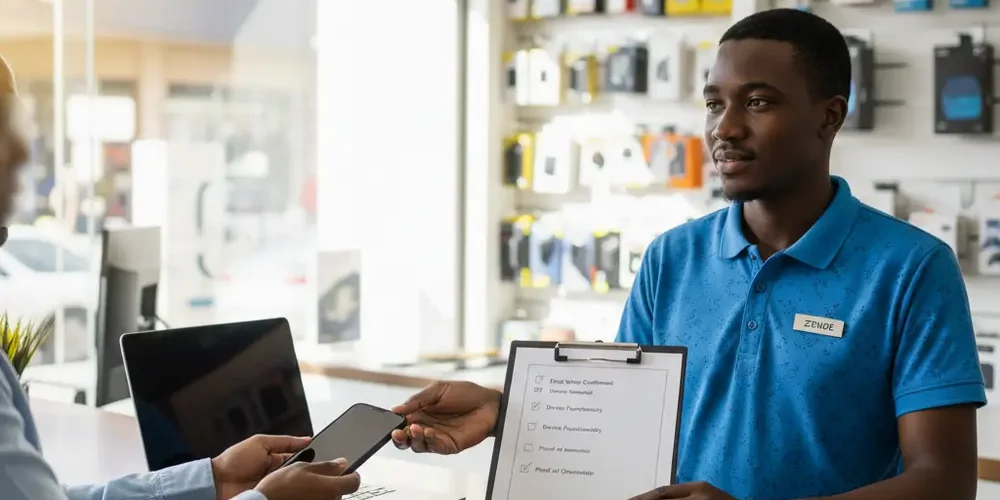
Selling a used phone, laptop, console, or mining gear in South Africa can feel like a quick win until you hit the risky parts, payments, meetups, and your data. A single mistake can cost you the device, your money, or your personal information.
By the end of this article you will know how to screen buyers, plan safer meetups, and only release an item when payment is verified in your own account. You will also have a step-by-step data security checklist, plus a decision guide to choose between a private sale, a trade-in, or a specialist buyer such as SellYourPC.
Note for South Africa:
- Fake proof of payment is a common pattern, your safest rule is to release the item only once funds reflect in your account
- Meetups can carry personal safety risk, plan for daylight, public locations, and bring someone you trust
- Load shedding and limited testing time are real, bring chargers, cables, and a quick test script so you do not rush decisions
At a glance:
- Use a screening script to filter out payment and courier scams before you meet
- Choose a safe handover plan, location, companion, time of day, and what to record
- Follow a device wipe checklist for phones, laptops, storage drives, and miners
- Pick the right route for your risk level, private sale, trade-in, or a structured buyer process
Key takeaways:
- Do not rely on screenshots or messages as payment proof, verify funds in your account
- Data security is part of the sale, back up, sign out, then wipe properly
- A structured buyer process can reduce risk compared to random meetups
The real risks when selling used electronics in South Africa
Used electronics are attractive targets because they are easy to resell, high value, and often linked to personal accounts. The biggest risks usually fall into three buckets, personal safety, payment fraud, and data exposure.
Personal safety risk often increases when you meet strangers at your home or in quiet areas. Payment risk is highest when a buyer pushes for quick release of the item, uses complicated payment stories, or sends a proof of payment image instead of cleared funds.
Data risk is the silent one. If you sell a device without signing out and wiping it properly, you can expose passwords, banking apps, photos, and business documents.
If you’re new
- Start with lower value items to learn the process and reduce loss if something goes wrong
- Keep all communication on the platform or email thread so you have a record
- Meet in public during the day, and bring a friend or family member
- Use a strict rule for payment, funds must reflect in your account before handover
- Do a basic wipe checklist before you even list the item, so you do not rush later
If you have done this before
- Upgrade your process, document serial numbers, condition photos, and a simple receipt
- Stop negotiating in DMs once a buyer shows red flags, rather lose a deal than a device
- Have a standard test routine for each device type so you can verify quickly
- Use a dedicated selling SIM or email alias if you are listing multiple items
- Consider a structured buyer process when the item is high value or hard to verify on the spot
Common scams explained, fake proof of payment, courier pickups, off-platform links
Most scams rely on pressure, confusion, or a fake sense of certainty. The more you slow the process down and stick to your rules, the safer you become.
Fake proof of payment and urgent EFT stories
A buyer may send a screenshot or PDF that looks like a bank confirmation and then push for immediate collection. Treat any proof of payment as marketing, not money, until you can see funds in your own account.
Gumtree’s safety advice emphasises not releasing goods before payment reflects in your account, which aligns with the safest seller rule for SA bank transfers and high value itemsGumtree safe trading tips.
Courier pickups and third-party collections
Scammers often want to avoid meeting you. They may claim a courier will collect, or that a friend, driver, or agent will pay and fetch.
- Do not release to a third party if you cannot verify payment and identity
- If you do ship, use tracked shipping and only after cleared funds, plus a signed receipt
- Be cautious of overpayment stories and requests for refunds
Off-platform links and phishing
Off-platform links can be used to steal your login or to impersonate payment pages. Keep communications on-platform where possible, and avoid clicking links that claim to be payment confirmations or delivery portals.
Local reporting on Facebook Marketplace safety tips highlights the value of keeping communications on-platform and planning safe meetupsFacebook Marketplace safety tips.
Safe selling basics that apply everywhere, meetups, payments, records
Safety is a process, not a single trick. If you build a repeatable routine, you reduce risk and you also reduce disputes, because everything is documented.
Where to meet and what to bring
Choose a public place you know, and aim for daytime. Gumtree’s guidance on safe meeting points supports meeting in busy public locations and bringing someone you trustGumtree guidance on choosing a safe place to trade.
- Meet at a shopping centre, coffee shop, or near a staffed security desk
- Avoid inviting strangers to your home for movable electronics
- Bring a friend, and tell another person where you are going
- Bring the right power supply, chargers, and a basic extension lead
- Have a quick test plan, screen, keyboard, ports, WiFi, speakers, and battery health
Payment rules, when to release the item
Your safest baseline is simple, the item leaves your control only after funds reflect in your bank account. If a buyer cannot accept that, you should treat it as a red flag.
- Do not accept a screenshot as proof of payment
- Do not let urgency change your rules
- Prefer methods that you can verify quickly, but keep your bank account details minimal
- Write down the buyer’s name and number, and keep the chat history
Records that reduce disputes
A basic record pack is low effort and helps if something goes wrong. It also makes serious buyers more comfortable because it signals that you are organised.
- Take clear photos of the device and any existing scratches before handover
- Capture serial number, IMEI, or model identifier, and store it privately
- Write a simple receipt with item details, condition notes, and the agreed price
Private sale vs trade-in vs specialist buyer, a quick comparison
There is no single best option. The best route depends on the item value, your risk tolerance, and how much time you can spend messaging and meeting.
| Route | Best for | Main risks | Good safety move |
|---|---|---|---|
| Private sale | Max price, flexible | Meetup risk, payment fraud | Public meetups, funds must reflect |
| Trade-in | Convenience, quick | Lower payout, strict criteria | Read terms, confirm condition rules |
| Specialist buyer | High value tech, less hassle | Needs eligibility checks | Use a documented handover process |
If you are comparing options, start by deciding what you want most. If it is the highest price, private sale may win, but you must manage risk carefully. If it is speed and lower risk, a structured buyer process can be simpler.
Common mistakes
- Handing over the item because a proof of payment screenshot looks convincing
- Meeting at home because it feels easier, then getting pressured or followed
- Not testing properly due to load shedding or missing chargers
- Forgetting to sign out of accounts, then the buyer cannot use the device or you lose control of your data
- Sharing too much personal information, like sending an ID copy to a stranger
Data security checklist before you sell, phones, laptops, miners and storage drives
Data security is not optional, it is part of the sale. Your goal is to remove your accounts, remove your encryption keys from the buyer’s reach, and leave the device ready for a new owner.
Use this checklist as a one-page process you can screenshot. Do the steps in order, and do not rely on a factory reset alone if you have not signed out of accounts first.
One-page SA safe-selling checklist
- 1) Pre-sale screening and red flags
- Refuse urgent demands to release before funds reflect
- Refuse off-platform links and strange payment methods
- Be cautious with third-party collections and courier stories
- 2) Meetup plan
- Daylight, public place, ideally with security nearby
- Bring a friend, and share your location with someone else
- Bring chargers, cables, and a short test script
- 3) Payment and release rules
- Only release once funds reflect in your bank account
- Do not accept screenshots as proof
- Record the buyer’s details and keep the chat record
- 4) Device data wipe steps
- Back up first, then sign out, then wipe
- Remove screen locks, passkeys, and biometrics after wipe
- For storage drives, consider secure erase or physical destruction if you cannot wipe confidently
- 5) Proof of ownership and record keeping
- Keep invoice or proof of purchase if you have it
- Record serial number or IMEI for your own records
- Take condition photos at handover, including accessories
- 6) Handover checklist
- List what is included, charger, box, cables, spare parts
- Write a short receipt signed by both parties
- Do a final power-on test in front of the buyer
- If you are using SellYourPC
- Bring the device, charger, and any key accessories needed for testing
- Bring your ID and any proof of ownership you have available
- If a password is needed for testing, use it only for testing, then remove accounts and reset before final handover
Apple iPhone and iPad, iCloud sign-out, Find My, erase steps
For Apple devices, Activation Lock is the big issue. If you do not sign out properly, the next owner may be locked out, and you may still have a device tied to your Apple ID.
Follow Apple’s official checklist before you sell, give away, or trade in your iPhone or iPadApple steps before selling an iPhone or iPad.
- Back up your data and transfer what you need
- Sign out of iCloud and related services on the device
- Turn off Find My so Activation Lock is removed
- Use Erase All Content and Settings, then confirm the device starts at the setup screen
Windows PCs, backup, reset, remove device links
For a Windows PC, you want a clean reset that removes your files and your account connection. You also want to avoid handing over a device that is still linked to your Microsoft account or protected by BitLocker in a way that causes problems later.
Microsoft provides a practical before-you-sell process, including backing up, resetting the device, and removing it from your Microsoft account listMicrosoft guide to reset a Windows PC before selling.
- Back up important files, then sign out of key apps
- Use Windows Recovery options to Reset this PC
- Choose the option intended for selling or gifting, so personal data is removed
- After reset, remove the device from your Microsoft account device list
Crypto miners and storage drives, what sellers forget
Miners, routers, and NAS boxes often contain saved WiFi credentials, pool configs, and admin passwords. Storage drives can hold far more personal data than you expect, especially if used in a home office.
- Factory reset the miner or controller board, and change admin passwords before you wipe
- Remove any saved pool credentials, wallet addresses, and remote management tokens
- For SSDs and HDDs, use a trusted secure erase method, or remove and keep the drive
- For devices used in a business, consider a formal IT asset disposal process via corporate IT asset disposal
Why SellYourPC.co.za can be a safer, simpler route in practice
Private selling is not wrong, it just pushes all the risk and admin onto you. A structured buyer process can reduce uncertainty by using a repeatable intake, testing, and documentation routine.
When you sell to a specialist buyer like SellYourPC, you are typically aiming for fewer meetups, less time dealing with unknown profiles, and a clearer handover path. For context on the business and what they focus on, see about SellYourPC.
We are not going to claim any process is scam-proof. What you want is fewer unknowns, fewer pressure points, and less reliance on trust alone.
What a structured buyer process should include
- Clear instructions on what to bring, device, charger, and IDs where needed
- On-site functional checks that are consistent and documented
- Serial and IMEI capture for traceability and dispute prevention
- A clear offer process based on condition and test results
- Payment steps that are explained upfront, with timing expectations in writing
If you want to compare routes for your specific item, start with the SellYourPC intake flow on sell your items, then compare that to the effort of a private listing.
Escrow and supervised handovers, what it looks like in SA
Some services try to reduce risk by combining identity checks, transaction logging, and supervised meetups. One example of this kind of approach is an in-person escrow-style meetup servicein-person escrow for marketplace trades.
The point is not that you must use escrow. The point is to learn what safer transactions have in common, identity checks, a controlled handover space, and a recorded trail.
Decide your best route, a quick decision guide
Use this as a fast decision filter before you list anything. It is designed to stop you from defaulting into a risky meetup when a safer route fits better.
- Is the item high value or easy to resell?
If yes, raise your safety level, public meetups only, strict payment verification, or use a structured buyer process.
- Can you test it properly during load shedding?
If no, delay the sale or choose a route where testing happens on-site with stable power and proper tools.
- Does the device contain sensitive data?
If yes, do the full sign-out and wipe, or remove and keep storage drives where possible.
- Are you comfortable meeting strangers?
If no, avoid random meetups, prefer trade-in or specialist buyer options.
- Do you need the money urgently?
If yes, be extra cautious. Urgency makes people accept risky payment claims, and that is when scams land.
Consumer rights basics, private sale vs business sale
Many people assume the same consumer protections apply to every second-hand sale. In South Africa, the Consumer Protection Act often depends on whether the seller is acting in the ordinary course of business.
This legal explainer outlines how CPA protection can apply to second-hand purchases when sold by a supplier in the ordinary course of business, while private sales may fall outside that scopeprivate sale vs business sale under the Consumer Protection Act.
This is not legal advice. The practical takeaway is to document condition and terms clearly, and to avoid vague promises in private sales.
Frequently asked questions
How do I avoid fake proof of payment scams?
Use one rule and do not bend it, only release the item once the funds reflect in your bank account. Gumtree also advises not sending items before payment reflectsavoid sending an item before payment reflects.
Where is the safest place to meet a buyer in South Africa?
Choose a busy public place during the day, ideally near security or staff, and bring someone you trust. Gumtree’s guidance on meeting safely supports public, daytime meetups and avoiding home addresses when possiblemeet in a public place during the day.
What should be in a simple receipt for a used electronics sale?
Include the date, item description, serial or IMEI if applicable, accessories included, the price, and both parties’ names and signatures. Add a short condition note like scratches on lid or battery health reported, to reduce disputes.
How do I wipe my iPhone so the buyer cannot access my data?
Back up first, then sign out of iCloud, turn off Find My to remove Activation Lock, and use Erase All Content and Settings. Follow Apple’s official steps to disable Activation Lock and erase your iPhonedisable Activation Lock and erase your iPhone.
Should I use a specialist buyer instead of a private listing?
If your item is high value, you cannot safely meet strangers, or you want a clearer process, a specialist buyer can be a better fit. To see the kinds of items and services that exist locally, browse the SellYourPC shop, then contact the team if you need help choosing a route via contact SellYourPC.
Final checklist summary
- Screen buyers and refuse pressure, off-platform links, and third-party pickup stories
- Meet in public in daylight, bring someone, and test quickly but properly
- Only release the item once funds reflect in your account
- Back up, sign out, and wipe devices, then confirm they start at setup screens
- Document the sale, photos, serials, and a short signed receipt
This is educational content, not financial advice.

