
Risks of selling your old PC on Gumtree and Facebook
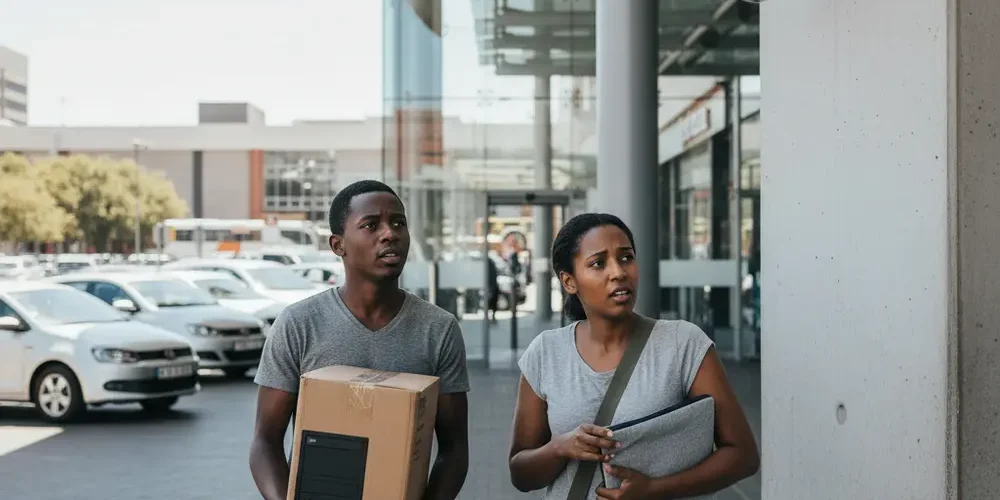
Selling an old PC online can feel like an easy win until you realise you are selling three things at once, an expensive device, access to your home routine, and the data trail of your digital life.
Gumtree and Facebook Marketplace can work well, but they also attract scammers who know exactly how to rush you, isolate you, or trick you into handing over a machine before the money is real.
By the end of this article you will know how to spot the most common seller traps, choose a safer meetup plan, and handle payment without relying on screenshots.
You will also get a practical checklist for wiping and unlinking accounts, so the PC does not leave your hands with your passwords, cloud access, or identity details.
Note for South Africa:
- Fake proof of payment and urgency tactics are common, especially via WhatsApp, SMS, and email.
- Load shedding and shaky connectivity can be used as an excuse to avoid proper verification, so plan for delays and double checks.
- For high value electronics, meet in busy public places with cameras, avoid home pickups, and avoid deliveries to unfamiliar areas.
At a glance:
- Decide your non negotiables up front, public meetup, verified funds reflected, and no home address sharing.
- Use platform messaging as long as possible, move off platform only when you control what you share.
- Prepare the PC like a security job, back up, sign out, reset, then remove device links to Microsoft or Apple.
- Keep evidence, chats, proof of serial number, and a simple receipt, so you can report fast if something goes wrong.
Key takeaways:
- Do not release a PC based on a screenshot or SMS, only when funds reflect in your account.
- Meet in public and control the location, last minute changes are a major red flag.
- Data risk is real, wipe storage properly and unlink cloud accounts before handover.
Why selling a PC is riskier than selling most used items
A PC is high value, easy to resell, and easy to grab, which increases robbery risk compared to low value household items.
It also contains far more personal data than most sellers realise, including browser sessions, saved passwords, cloud tokens, and copies of documents.
Finally, buyers often want to test a PC, which creates pressure to meet at your home, connect to your Wi-Fi, or plug into power and screens, all of which can expose you.
- Physical risk: the meetup can become a planned theft if you are isolated.
- Money risk: electronic payments can be forged, delayed, or reversed depending on method and bank processes.
- Data risk: a quick reset is not always enough if you do not sign out and unlink accounts.
The main risk categories, personal safety, money, and data
Most bad outcomes fall into three buckets, you get hurt or threatened, you lose the PC without getting paid, or your data gets reused later.
To reduce risk, treat the sale as a process with checkpoints, listing, messaging, meetup, payment verification, and device handover.
If one checkpoint feels off, you are allowed to pause, reschedule, or cancel.
Personal safety risks when meeting strangers (home pickups, deliveries, come to this address)
The biggest safety mistake is turning a marketplace deal into a home visit. Once a buyer has your address, they may return later or share it.
Meetups can also be used to lure sellers to quieter areas or to force a last minute change of location.
Facebook explicitly recommends meeting in public, well lit places and avoiding sharing personal details like your home address, and it also recommends sharing a meeting plan and keeping your phone charged using Messenger tools like live location or plan sharing via Facebook Marketplace meeting tips.
- Prefer a mall entrance, petrol station with cameras, or a public spot near a police station.
- Go in daylight, bring a friend, and keep your phone on data and charged.
- Do not let a buyer move the meeting to a second location to fetch cash or a friend.
- If you must show it working, use a public area with power access, not your home.
Payment and banking risks (fake proof of payment, reversals, overpayment and refund traps)
In South Africa, a common scam is a fake payment confirmation sent by email, WhatsApp, or SMS. The goal is to create pressure so you hand over the PC before funds reflect.
Local bank fraud guidance warns that fake payment confirmations are used to trick sellers, and the safe rule is to release goods only once funds reflect in your account, with extra care for interbank delays, as described under fake proof of payment scams.
Another pattern is the overpayment and refund trap, where a buyer claims they sent too much and asks you to refund the difference fast, before the original payment is real.
- Never rely on: screenshots, SMS notifications, emailed PDFs, or a buyer showing you their banking app.
- Do rely on: your own bank app or internet banking showing funds reflected and available.
- Be strict after hours: weekends, load shedding, and banking downtime increase confusion, so delay handover.
- Cash has risks too: avoid large cash meetups, and if you accept cash, count it carefully in a safe place.
Data and identity risks specific to PCs (saved passwords, browser profiles, BitLocker keys, cloud accounts)
A PC often holds access, not just files. That includes saved passwords in browsers, synced cloud drives, password managers, and logged in email sessions.
Even if you delete files, your accounts can still be linked to the device, for example a Microsoft account device list, or Apple activation protections.
Microsoft’s guidance on preparing a Windows device covers backing up, resetting using Windows recovery options, and removing the device from your Microsoft account, see reset a Windows PC before selling.
For Macs, Apple publishes a clear checklist that includes signing out of services and erasing content using the correct method for your model and macOS version, see erase a Mac before selling.
- Passwords and sessions in Chrome, Edge, Firefox, and Safari.
- Cloud sync, OneDrive, Google Drive, iCloud Drive, Dropbox.
- Encryption keys and recovery keys stored in accounts.
- Saved Wi-Fi networks and VPN profiles that reveal locations.
Quick comparison, safest options by situation
Use this table to choose a safer transaction style based on your risk tolerance and what the buyer insists on.
| Situation | Safer choice | Why it helps |
|---|---|---|
| Buyer wants home pickup | Public meetup instead | Reduces address exposure and ambush risk |
| Buyer offers EFT and sends proof | Wait for funds to reflect | Proof can be forged, reflected funds are harder to fake |
| Buyer insists on delivery | Decline or use a controlled handover | Delivery increases robbery risk and reduces control |
| Buyer wants to test it | Test in a public place, bring a basic power lead | You keep control and avoid home entry |
| You want zero hassle | Consider a reputable business route | Trades margin for safety and time savings |
Red flags and scam scripts seen on Gumtree and Facebook
Scammers reuse scripts because they work. Your advantage is recognising the pattern early and not negotiating with it.
Gumtree’s own guidance warns that scammers often try to move chats off platform to WhatsApp, SMS, or email, and it recommends face to face local trading in a safe public place, see Gumtree safety tips.
Gumtree also publishes examples of buyer scam behaviour and urgency tactics, which is useful for sellers, see common buyer scam tactics.
- Urgency: I am leaving town today, I need it now, my driver is waiting.
- Off platform push: Send your number, WhatsApp me, email me your banking details.
- Location pressure: Meet me at this address, it is safer for me, I cannot come to a mall.
- Payment pressure: My app is down, the bank is offline, you will see it tomorrow.
- Overpayment: I sent extra by mistake, refund me quickly and keep a tip.
- Courier story: My courier will collect, they need your address now.
Safer ways to transact, where to meet, what to bring, and what not to share
Your goal is to keep control, of time, place, and information. If the buyer will not accept basic safety boundaries, it is usually not a real buyer.
South African consumer safety advice often repeats the same practical steps, meet in public, be careful with payment confirmations, and avoid oversharing, as outlined in this South African secondhand selling safety tips piece.
Where to meet in South Africa
- Busy mall entrances, preferably near security.
- Petrol stations with cameras and steady foot traffic.
- Outside a police station or nearby public area, some local warnings specifically recommend this style of meetup, see avoid delivery to unfamiliar areas.
- Bank branches during business hours if you are doing a cash deposit.
What to bring
- A friend or family member, plus a shared meeting plan.
- A charged phone, data, and a power bank if you have one.
- The minimum accessories needed to demonstrate the PC, power cable, and a basic display cable if relevant.
- A printed or saved note with the PC serial number and your own photos of the device condition.
What not to share
POPIA is not a checklist for private sales, but its minimisation principle is a good personal safety rule, share only what is necessary.
South African privacy commentary also stresses being cautious with ID documents and sensitive details, and to reduce identity theft risk by limiting what you share, see avoid sharing your ID unnecessarily.
- Your home address, unless you accept the risk and have backup present.
- A clear photo of your ID, passport, or driver’s licence.
- Full bank account details beyond what is needed for a specific payment method.
- Serial numbers in the listing photos, keep them for proof later, not for the internet.
Common mistakes
- Meeting at your home because the buyer wants to test the PC.
- Handing over the PC based on proof of payment screenshots.
- Accepting last minute location changes, or meeting at night.
- Moving to WhatsApp immediately and sharing extra personal details.
- Forgetting to unlink accounts and wipe storage properly.
If you’re new
- Start with a smaller, low risk sale first, like a monitor or keyboard, to practise the process.
- Write a simple script for boundaries, public meetup, funds reflected, no delivery.
- Use your platform inbox until you feel the buyer is real and consistent.
- Take clear photos in daylight, but keep serial numbers out of the public listing.
- If you want help choosing a safe route, start with our sell your items page and message us via contact us.
If you have done this before
- Review your payment rules, scams evolve but the pressure tactics stay similar.
- Upgrade your device prep, a proper wipe and unlink beats a quick reset.
- Standardise your meetup plan, same safe location, same time window, same friend.
- Keep a reusable receipt template saved on your phone.
- If you are handling multiple devices, consider reading our corporate IT asset disposal overview for process ideas.
Before you hand it over, your PC handover checklist
This is the one page checklist you can follow every time. It is designed to reduce physical risk, payment risk, and data leakage without turning the sale into a mission.
1) Before listing
- Photograph the PC from multiple angles, and remove personal stickers that reveal a company name or address.
- Do not show serial numbers in public photos, keep them privately for proof of ownership.
- Decide your meetup location and hours before you publish, and place it in the listing.
- Keep comms on platform as long as possible, Gumtree’s guidance specifically warns about off platform pushes like WhatsApp, see avoid moving off-platform to WhatsApp.
2) Before meeting
- Confirm the buyer’s name, time, and exact public spot, and do not accept last minute changes.
- Tell a trusted person where you are going and when you will be back.
- Charge your phone and plan for load shedding, including banking app downtime.
- Pack only what you need, PC and agreed accessories, not extra valuables.
3) Payment rules (stick to one)
- Electronic payment: release only once funds reflect in your account, not based on a notification, see only release goods once funds reflect.
- Cash: meet during business hours, count it carefully, and consider depositing at a bank branch immediately.
- No split payments: avoid half now, half later arrangements.
- No refunds on overpayment: if they overpay, you wait until everything clears, then you refund using a method you control and can verify.
4) Device prep (Windows and Mac)
Do this before you meet, not while the buyer waits. A rushed wipe is how data leaks happen.
- Back up: copy what you need to an external drive or cloud storage you trust.
- Sign out: log out of browsers, email, OneDrive, Google Drive, iCloud, and any password manager.
- Reset: use the official reset and erase steps for your platform, Microsoft provides steps for Windows devices at remove device from Microsoft account, and Apple provides Mac steps at sign out of iCloud and erase all content.
- Drivers and keys: if you have paid software licences, confirm what is transferable and what is not, and do not promise licences you cannot legally transfer.
5) Handover and paperwork
- Bring a simple receipt, include date, item description, included accessories, and a note like sold as is for a private sale.
- Take a final photo of the device condition and serial number before the meetup.
- Keep the full chat history, and screenshot key agreements like price and location.
- Share only minimal buyer details, first name and phone is usually enough if you choose to record anything.
If something goes wrong, how to report, preserve evidence, and reduce harm
If you suspect a scam mid deal, leave. Do not argue, do not try to negotiate your way back to safety.
If you already handed over a PC without verified payment, act fast. Fraud recovery chances drop quickly once the scammer moves the money or the device.
- Preserve evidence: keep chats, call logs, proof of the listing, and any payment messages.
- Notify the platform: report the buyer profile and the conversation on Gumtree or Facebook.
- Contact your bank: share the facts and ask what reversal or fraud steps are possible for your payment type.
- Secure accounts: change passwords for email and cloud accounts, revoke sessions, and enable MFA where you can.
- Report theft: if you were robbed or threatened, consider reporting to SAPS with your evidence and serial numbers.
If you want a safer alternative to person to person selling, you can browse options on our shop or learn how our team works on the about us page before you decide.
Frequently asked questions
Is it safe to let a buyer test the PC at my house?
It is higher risk because it exposes your address and can put you in a vulnerable position. A safer approach is to test in a public place with cameras, or to provide a short recorded video of the PC booting and showing key specs, then still meet publicly for handover.
What is the safest way to get paid in South Africa?
No method is perfect, but the safest rule is consistent, do not release the PC until funds reflect in your own account. Bank fraud guidance warns that proof of payment can be forged, so screenshots and notifications are not enough.
Can I just do a Windows reset and call it done?
A reset is a good start, but you also need to sign out of services and unlink the device from accounts where relevant. Follow the official steps to reset and remove the device from your Microsoft account so the next owner does not inherit your access.
What should I avoid sharing in chat?
Avoid your home address, ID numbers, and unnecessary personal details. Keep communications on platform as long as possible, and share only what is needed to meet and complete payment.
Do I need a written agreement for a private sale?
A short receipt is usually helpful for both sides, even if it is informal. Include the item description, accessories, date, price, and an as is note for a private sale, and keep it factual rather than trying to write legal terms.
Final checklist summary
- Meet in a busy public place, in daylight, with a friend where possible.
- Keep messages on platform, and treat off platform pressure as a red flag.
- Verify payment in your own banking app, release only when funds reflect.
- Wipe and unlink the PC properly, sign out, reset, and remove device links.
- Keep evidence and a simple receipt, so you can report quickly if needed.
This is educational content, not financial advice.

